So I think I can finish this thread off with the following information. I’ve included the new .dts file for the P8.11.
BB-W1-P8.11-00A0.dts (1.4 KB)
In the previous message I showed a Python application that reads the sensor. Now here’s a Lazarus FPC project that periodically polls the sensor and reports the value. The query buttons lets a user select the path to the device.
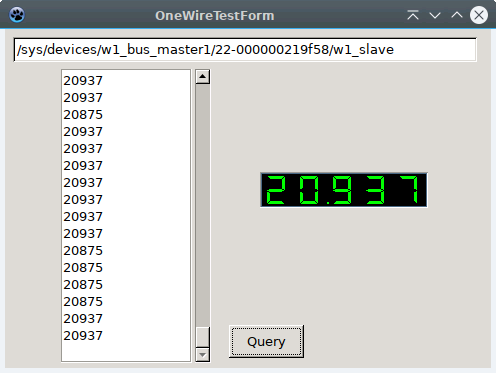
Here’s the source code for it.
OneWireTest.zip (125.8 KB)
The 7 segment display comes from: Rack Controls for Lazarus · Luca Olivetti
I also commented out the /boot/uEnv.txt line :
#dtb_overlay=/lib/firmware/BB-W1-P8.11-00A0.dtbo
which made no difference as shown below after a sudo reboot.
debian@ebb:/sys/class/hwmon/hwmon0/device$ ls
driver  hwmon  id  name  power  subsystem  uevent  w1_slave
debian@ebb:/sys/class/hwmon/hwmon0/device$ cat w1_slave
4d 01 4b 46 7f ff 03 10 d8 : crc=d8 YES
4d 01 4b 46 7f ff 03 10 d8 t=20812
debian@ebb:/sys/class/hwmon/hwmon0/device$
Anyway the previous postings show how to install and compile the dts so I think that’s it. Thanks to Robert for the help.
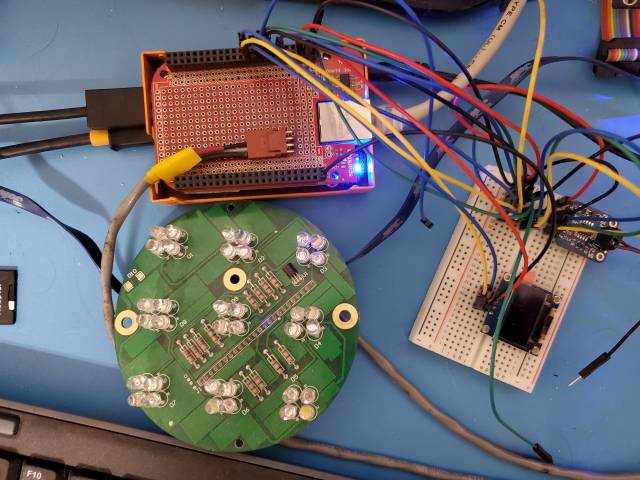
P.S. Forgot to include a picture of the DS1822 One WIre sensor which on this board was used to create a unique serial # and measure the temperature inside the enclosure. It’s the black little TO92 package on the round LED board. On the Right is a small I2C display and on the left an SPI based Thermocouple sensor which also doesn’t work anymore after the OS upgrade. But that’s for a different thread.