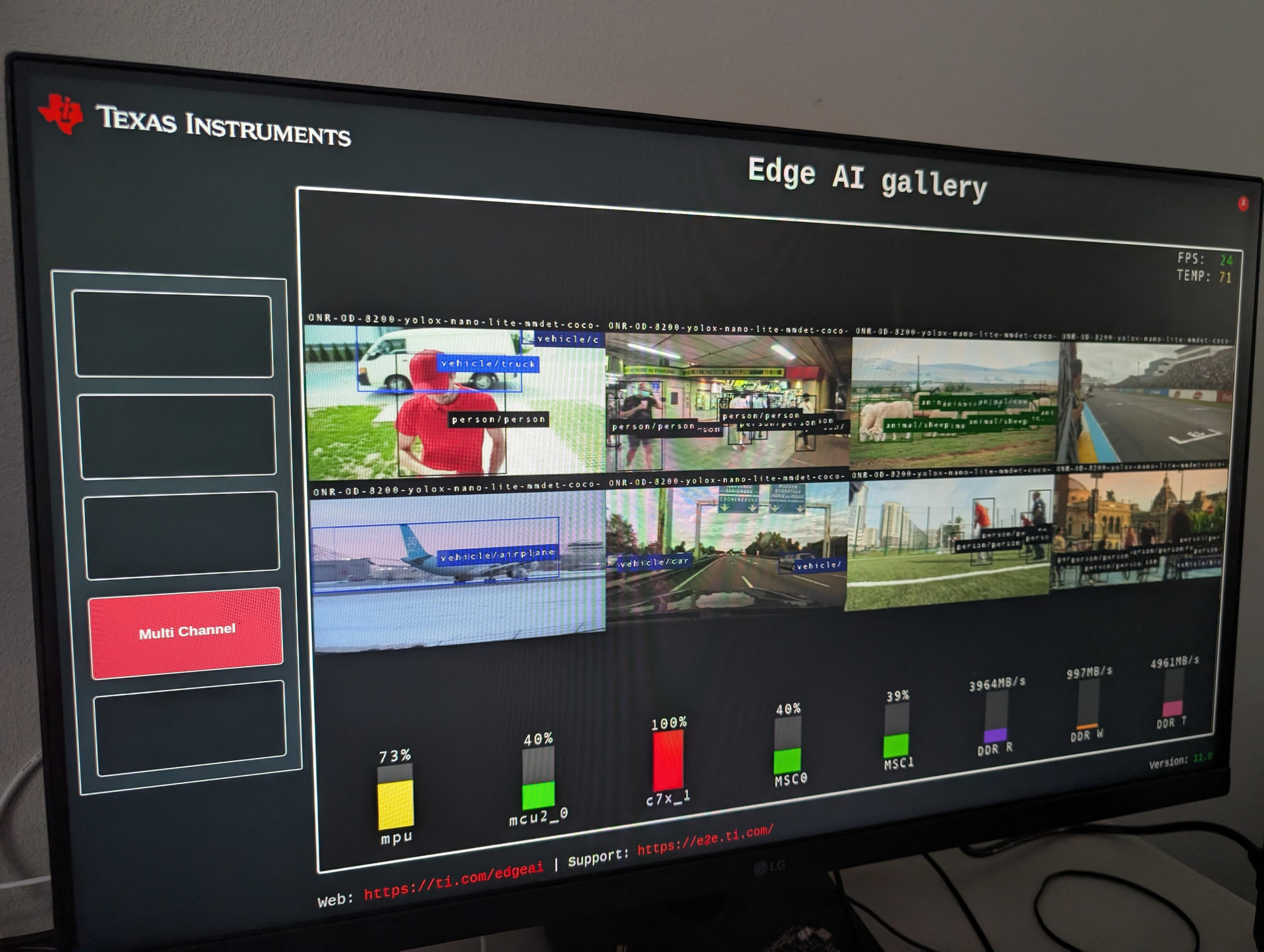
I have gotten the basic EdgeAI stack working with a Yocto TI SDK11.00 build. I am successfully running the models from the Edge AI Gallery app.
Link to Yocto meta Layer: meta-beaglebone-ai64-edgeai-sdk-11-00-fix
Build flow
Start with the normal TI Scarthgap-based Yocto build environment as described here:
Inside your TI build container:
git clone https://git.ti.com/git/arago-project/oe-layersetup.git ~/tisdk
cd ~/tisdk
./oe-layertool-setup.sh -f configs/processor-sdk-analytics/processor-sdk-analytics-11.00.00-config.txt

cd ~/tisdk/build
. conf/setenv

echo 'ARAGO_BRAND = "edgeai"' >> conf/local.conf
echo 'MACHINE = "beaglebone-ai64"' >> conf/local.conf
Clone this layer into the Yocto sources directory:
cd ~/tisdk/sources
git clone https://github.com/kevinacahalan/meta-beaglebone-ai64-edgeai-sdk-11-00-fix.git
Add the layer:
cd ~/tisdk/build
. conf/setenv
bitbake-layers add-layer ../sources/meta-beaglebone-ai64-edgeai-sdk-11-00-fix
Build the Edge AI image:
bitbake -k tisdk-edgeai-image
This build takes 8-10 hours on my system with a Ryzen 7 7840u with 64gigs of ram. The build takes 14 hours when built from WSL. You will needs a 1/2TB of free space on your disk.
Running the image
Flash tisdk-edgeai-image-beaglebone-ai64.rootfs.wic.xz from ~/tisdk/build/deploy-ti/images/beaglebone-ai64/.
Make sure to supply your board with enough power. It will freeze up and shutdown if not supplied with enough power to run models…
Notes
- At the time of writing the forum post, I currently only have the basic TI EdgeAI stack running. This stack is different from the “Vision_Apps” stack used for the ADAS demo. Both stacks use the C7X for running models. The basic TI Edge AI stack does not use the R5 cores, it is pure Linux + C7X. My understanding of these two stacks is developing, please correct me as needed
- TI SDK 11.02 work: @MarkusKrug has gotten a Edge AI Yocto build working with TI SDK 11.02. MarkusKrug TI SDK 11.02 work