Hi Iranders,
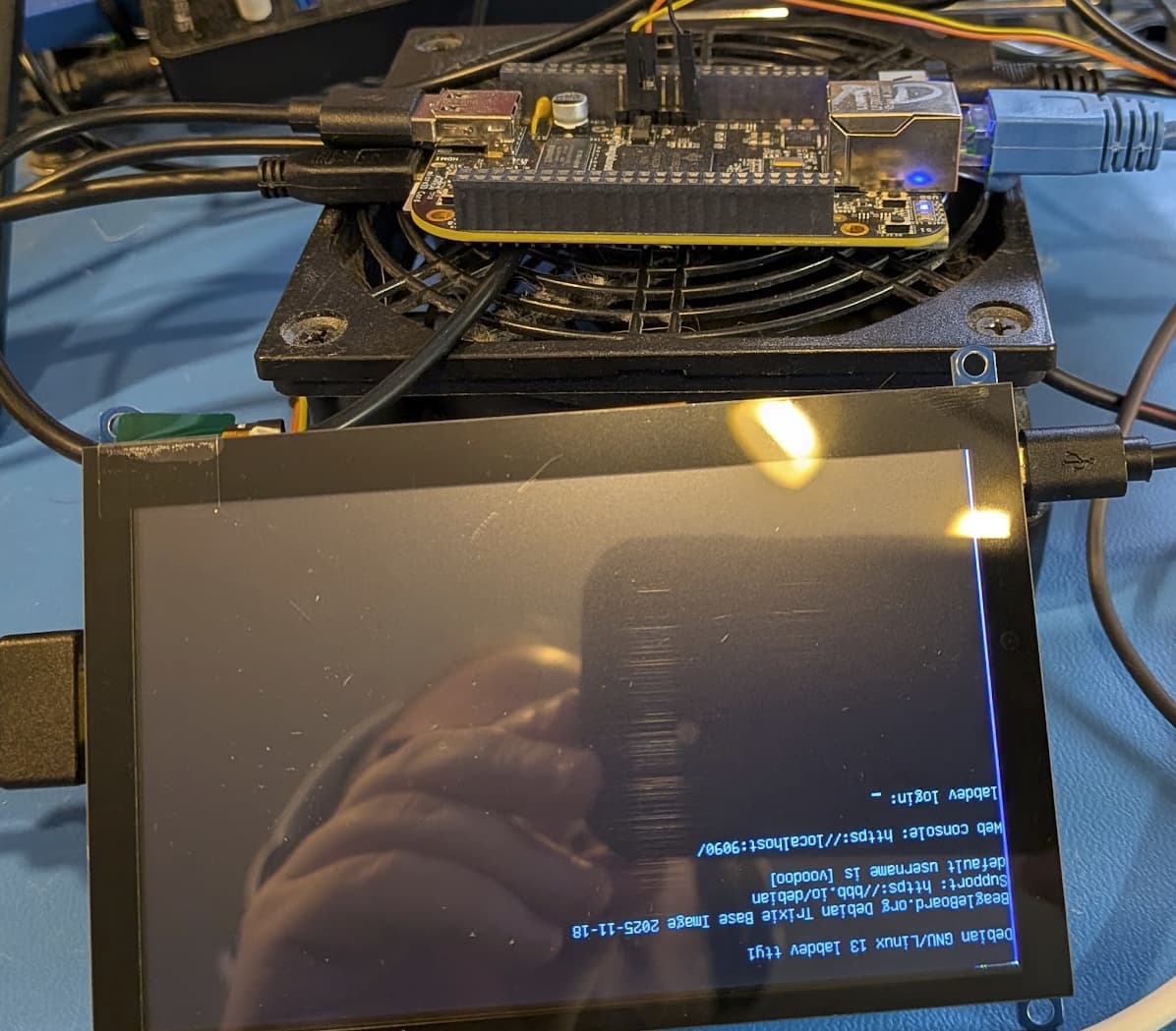
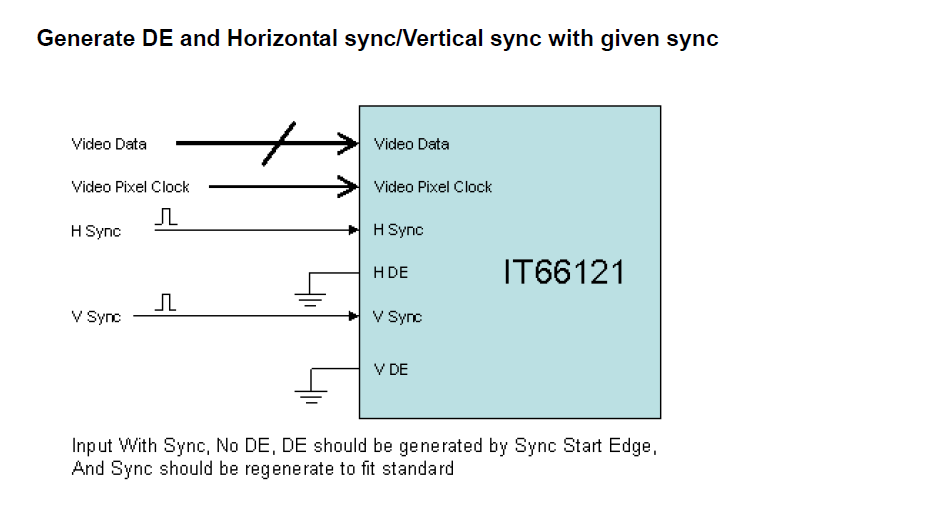
This is what I have:AM3358 IT66121
with Debian 12.12 - Bookworn, and 6.12.55-bone39.
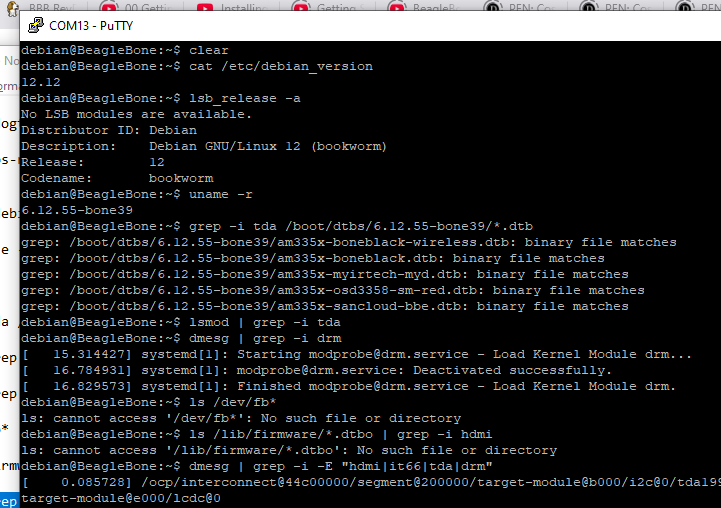
I have ran these commands on the board:
cat /etc/debian_version.dtb
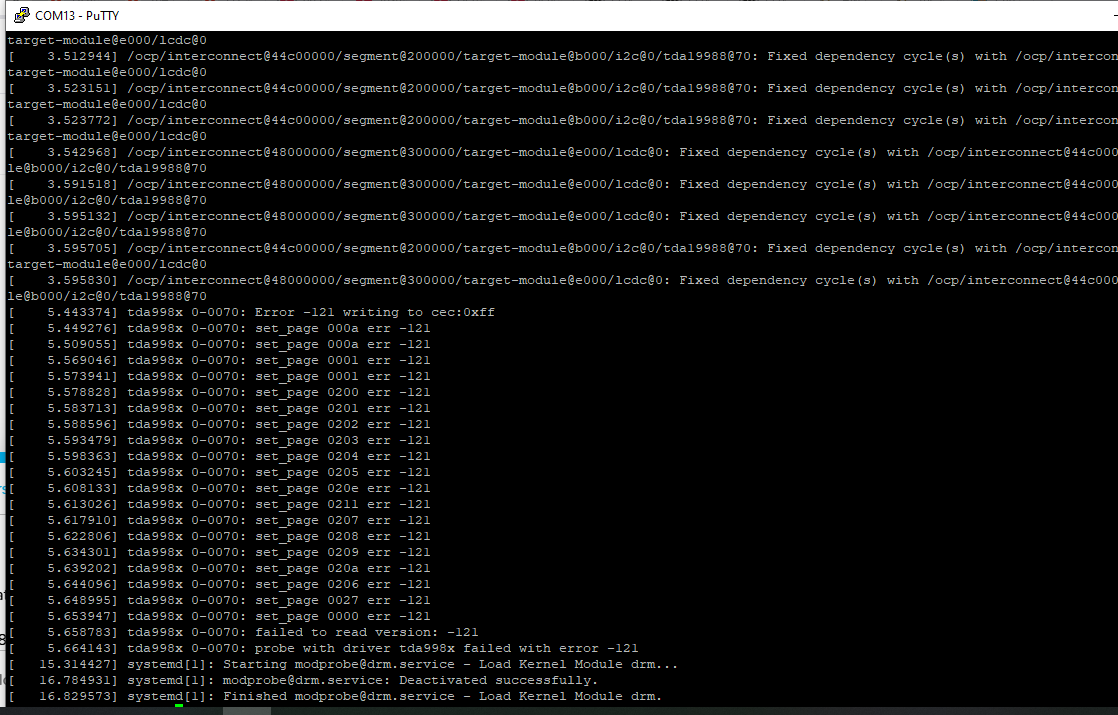
And this is what I an getting:
Still not having HDMI output.
Should I really return to 5.10?
Thanks for your time and guidance.
Please Clarify:
BeagleBone Black (and Industrial) A → RevC3 used tda998x
BeagleBone Black (and Industrial) RevD uses IT66122 bridge
At one time Seeed made an IT66121 bridge, that needs it’s own overlays..
So what board combination are you using?
Edit, looking at your photo, that is an BBB Industrial aka RevD with IT66122, you’ll need to use any of my kernels from v5.15.x-bone → 6.x.x-bone → v6.18.x-bone
v5.10.x-bone was a backport mess, so v5.10.x-ti will probally never see a backport from me..
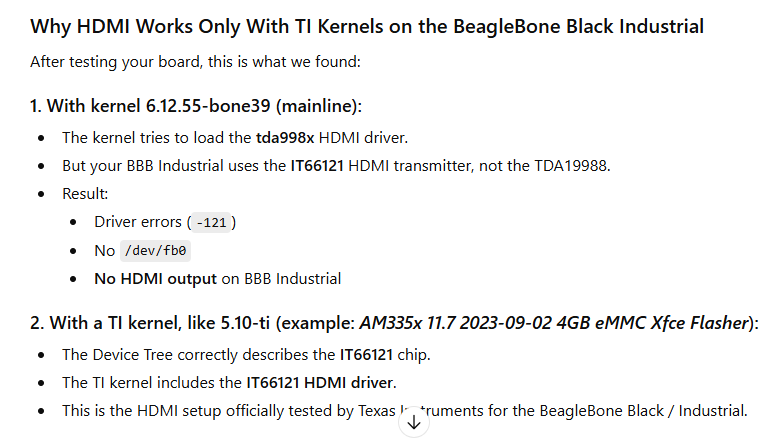
Yeah, ChatGPT has no idea what it’s talking about, it’s way behind on what i’ve been working on for the last year..
edit 2, your best bet is to grab this image:
from: BeagleBoard Imager
and then run sudo beagle-version
You’ll want to see something like: (bootloader version is very important)
voodoo@labdev:~$ sudo beagle-version
[sudo] password for voodoo:
eeprom:[A335BNLT00D0BBB215050010]
model:[TI_AM335x_BeagleBone_Black_Rev_D]
dogtag:[BeagleBoard.org Debian Trixie Base Image 2025-11-18]
bootloader:[microSD-(push-button)]:[/dev/mmcblk0]:[U-Boot SPL 2022.04-gb4b56c73 (Oct 28 2025 - 17:45:28 +0000)]:[location: dd MBR]
UBOOT: Booted Device-Tree:[am335x-boneblack-revd.dts]
kernel:[6.17.8-bone16]
/boot/uEnv.txt Settings:
pkg check: to individually upgrade run: [sudo apt install --only-upgrade <pkg>]
pkg:[bb-customizations]:[1.20250808.0-0~trixie+20250808]
pkg:[bb-usb-gadgets]:[1.20250523.1-0~trixie+20250527]
pkg:[bb-wl18xx-firmware]:[1.20230703.0-0~trixie+20240703]
pkg:[kmod]:[34.2-2bbbio1~trixie+20250522]
groups:[voodoo : voodoo adm kmem dialout cdrom floppy audio dip video plugdev users systemd-journal input render netdev i2c bluetooth gpio admin tisdk weston-launch]
cmdline:[console=ttyS0,115200n8 root=/dev/mmcblk0p3 ro rootfstype=ext4 rootwait fsck.repair=yes earlycon coherent_pool=1M net.ifnames=0 lpj=1990656 rng_core.default_quality=100]
dmesg | grep remote
[   17.944426] systemd[1]: Reached target remote-fs.target - Remote File Systems.
[   42.820458] remoteproc remoteproc0: wkup_m3 is available
[   45.106139] remoteproc remoteproc0: powering up wkup_m3
[   45.131274] remoteproc remoteproc0: Booting fw image am335x-pm-firmware.elf, size 217148
[   45.184358] remoteproc remoteproc0: remote processor wkup_m3 is now up
[   57.732338] remoteproc remoteproc1: 4a334000.pru is available
[   57.820398] remoteproc remoteproc2: 4a338000.pru is available
dmesg | grep pru
[   57.732338] remoteproc remoteproc1: 4a334000.pru is available
[   57.820398] remoteproc remoteproc2: 4a338000.pru is available
dmesg | grep pinctrl-single
[    3.566393] pinctrl-single 44e10800.pinmux: 142 pins, size 568
dmesg | grep gpio-of-helper
dmesg | grep wlcore
lsusb
Bus 001 Device 001: ID 1d6b:0002 Linux Foundation 2.0 root hub
Bus 001 Device 002: ID 046d:c526 Logitech, Inc. Nano Receiver
END
Regards,
RobertCNelson:
sudo beagle-version
Hi @RobertCNelson
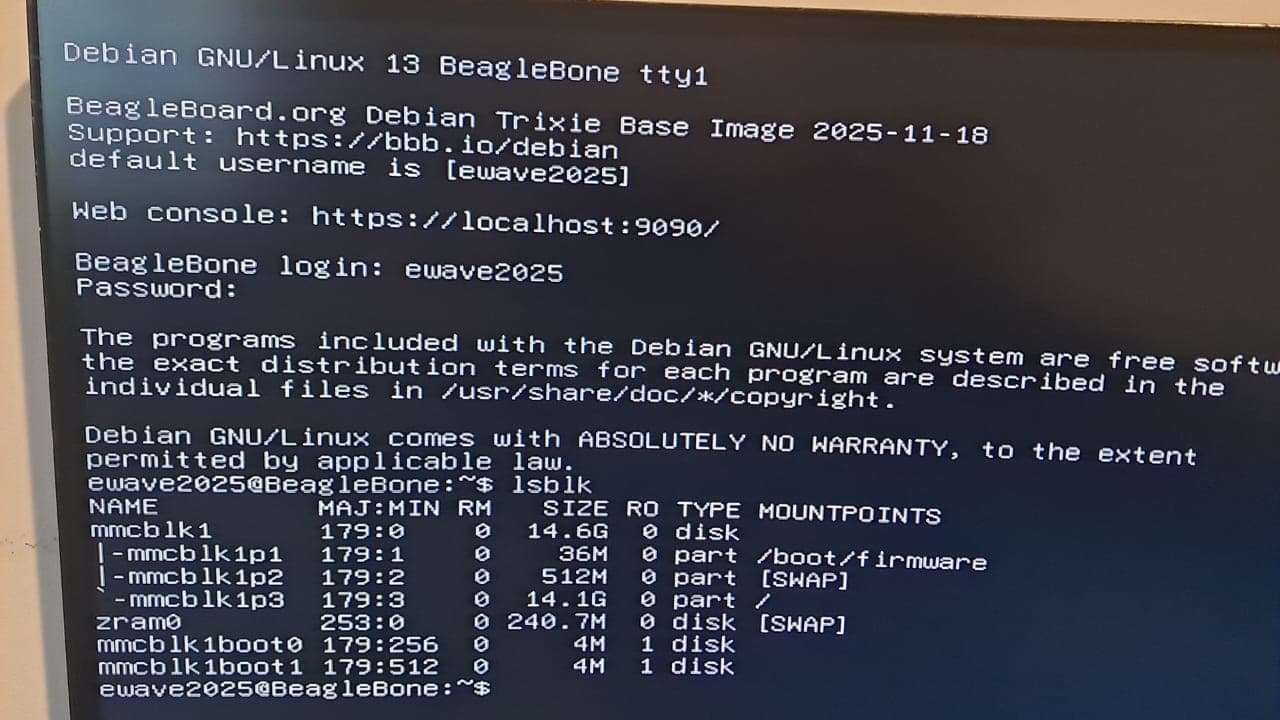
I flashed Debian 13, the one you recommended, and this is what I get:
ewave2025@BeagleBone:\~$ lsb_release -a
No LSB modules are available.
Distributor ID: Debian
Description:    Debian GNU/Linux 13 (trixie)
Release:        13
Codename:       trixie
ewave2025@BeagleBone:\~$ uname -r
6.17.8-bone16
ewave2025@BeagleBone:\~$ sudo beagle-version
eeprom:\[A335BNLTEID02525SBI18589\]
model:\[TI_AM335x_BeagleBone_Black_Rev_D\]
dogtag:\[BeagleBoard.org Debian Trixie Base Image 2025-11-18\]
bootloader:\[microSD-(push-button)\]:\[/dev/mmcblk0\]:\[U-Boot SPL 2022.04-gb4b56c73 (Oct 28 2025 - 17:45:28 +0000)\]:\[location: dd MBR\]
bootloader:\[eMMC-(default)\]:\[/dev/mmcblk1\]:\[U-Boot SPL 2022.04-ge0d31da5 (Aug 04 2023 - 18:48:26 +0000)\]:\[location: dd MBR\]
UBOOT: Booted Device-Tree:\[am335x-boneblack-revd.dts\]
kernel:\[6.17.8-bone16\]
/boot/uEnv.txt Settings:
pkg check: to individually upgrade run: \[sudo apt install --only-upgrade \]
pkg:\[bb-customizations\]:\[1.20250808.0-0\~trixie+20250808\]
pkg:\[bb-usb-gadgets\]:\[1.20250523.1-0\~trixie+20250527\]
pkg:\[bb-wl18xx-firmware\]:\[1.20230703.0-0\~trixie+20240703\]
pkg:\[kmod\]:\[34.2-2bbbio1\~trixie+20250522\]
groups:\[ewave2025 : ewave2025 adm kmem dialout cdrom floppy audio dip video plugdev users systemd-journal input render netdev i2c bluetooth gpio admin tisdk west       on-launch\]
cmdline:\[console=ttyS0,115200n8 root=/dev/mmcblk0p3 ro rootfstype=ext4 rootwait fsck.repair=yes earlycon coherent_pool=1M net.ifnames=0 lpj=1990656 rng_core.defa       ult_quality=100\]
dmesg | grep remote
\[   17.336428\] systemd\[1\]: Reached target remote-fs.target - Remote File Systems.
\[   34.354924\] remoteproc remoteproc0: wkup_m3 is available
\[   35.469251\] remoteproc remoteproc0: powering up wkup_m3
\[   35.483253\] remoteproc remoteproc0: Booting fw image am335x-pm-firmware.elf, size 217148
\[   35.544345\] remoteproc remoteproc0: remote processor wkup_m3 is now up
\[   50.451221\] remoteproc remoteproc1: 4a334000.pru is available
\[   50.599157\] remoteproc remoteproc2: 4a338000.pru is available
dmesg | grep pru
\[   50.451221\] remoteproc remoteproc1: 4a334000.pru is available
\[   50.599157\] remoteproc remoteproc2: 4a338000.pru is available
dmesg | grep pinctrl-single
\[    3.568836\] pinctrl-single 44e10800.pinmux: 142 pins, size 568
dmesg | grep gpio-of-helper
dmesg | grep wlcore
lsusb
Bus 001 Device 001: ID 1d6b:0002 Linux Foundation 2.0 root hub
END
ewave2025@BeagleBone:\~$
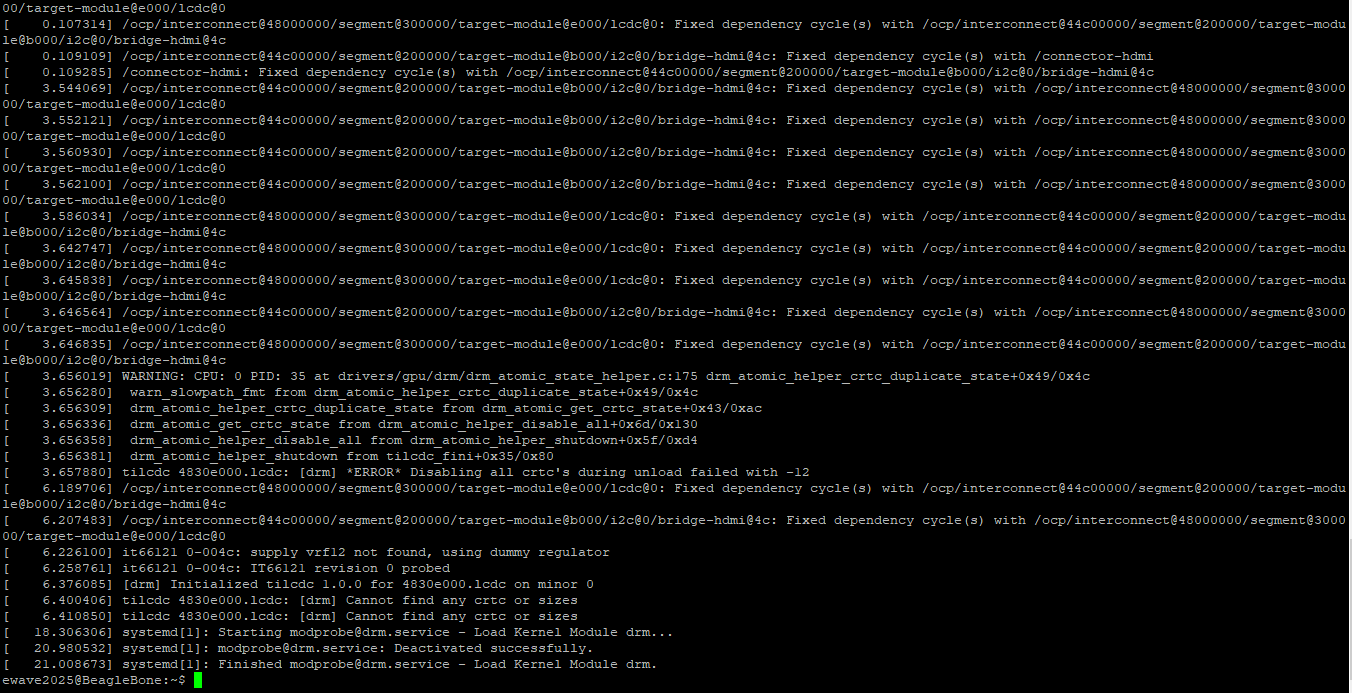
Last I tried:
I see the BBB is booting from the SD, is there a way I can “pass” the image so it boots from the eMMC?
thanks!
this means revd is enabled so HDMI is enabled kernel side..
You can copy the microSD to eMMC via: sudo beagle-flasher
Regards,
Thanks a lot @RobertCNelson
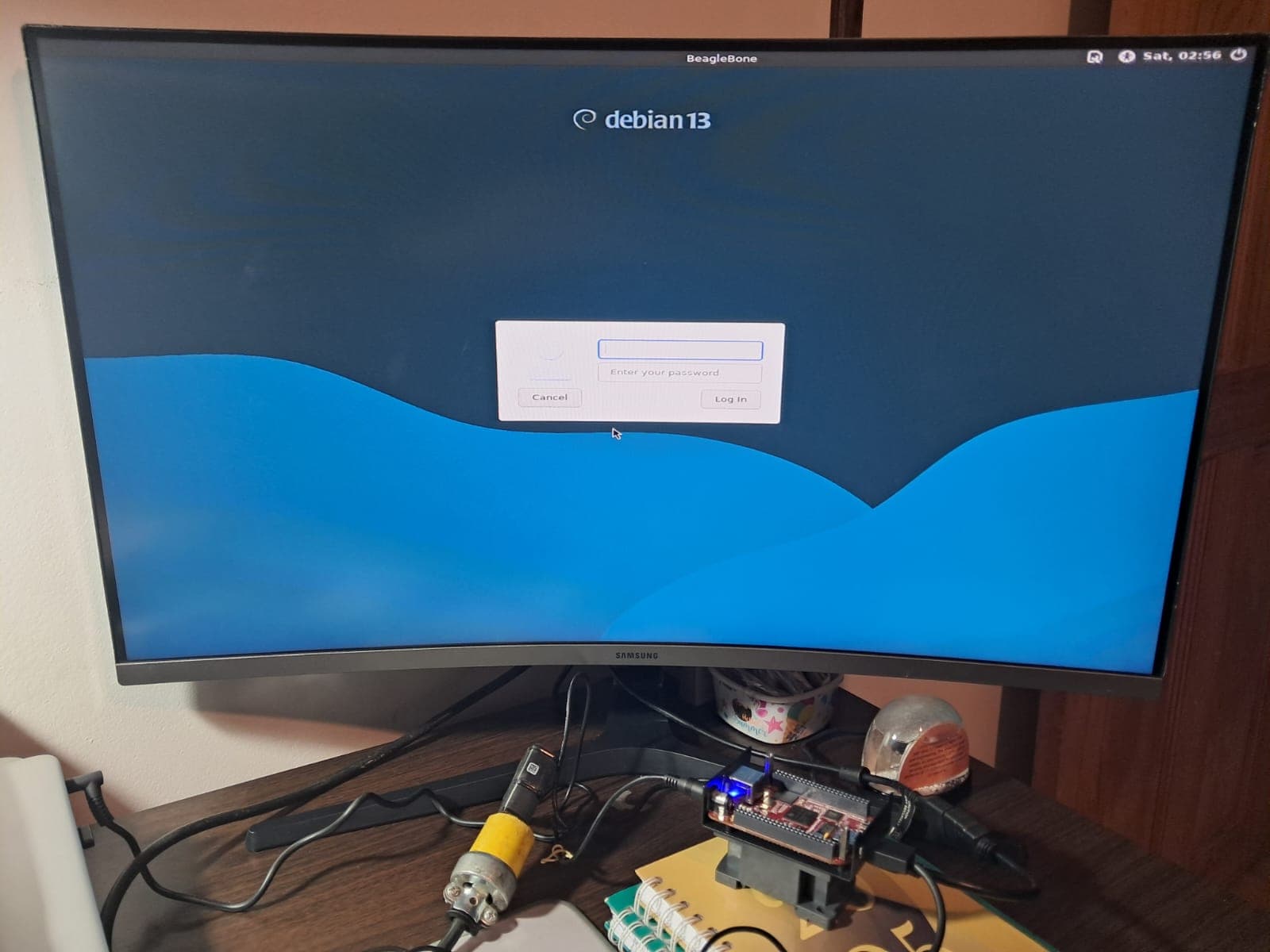
I have now HDMI and in theory is working now from the eMMC.
One more question,
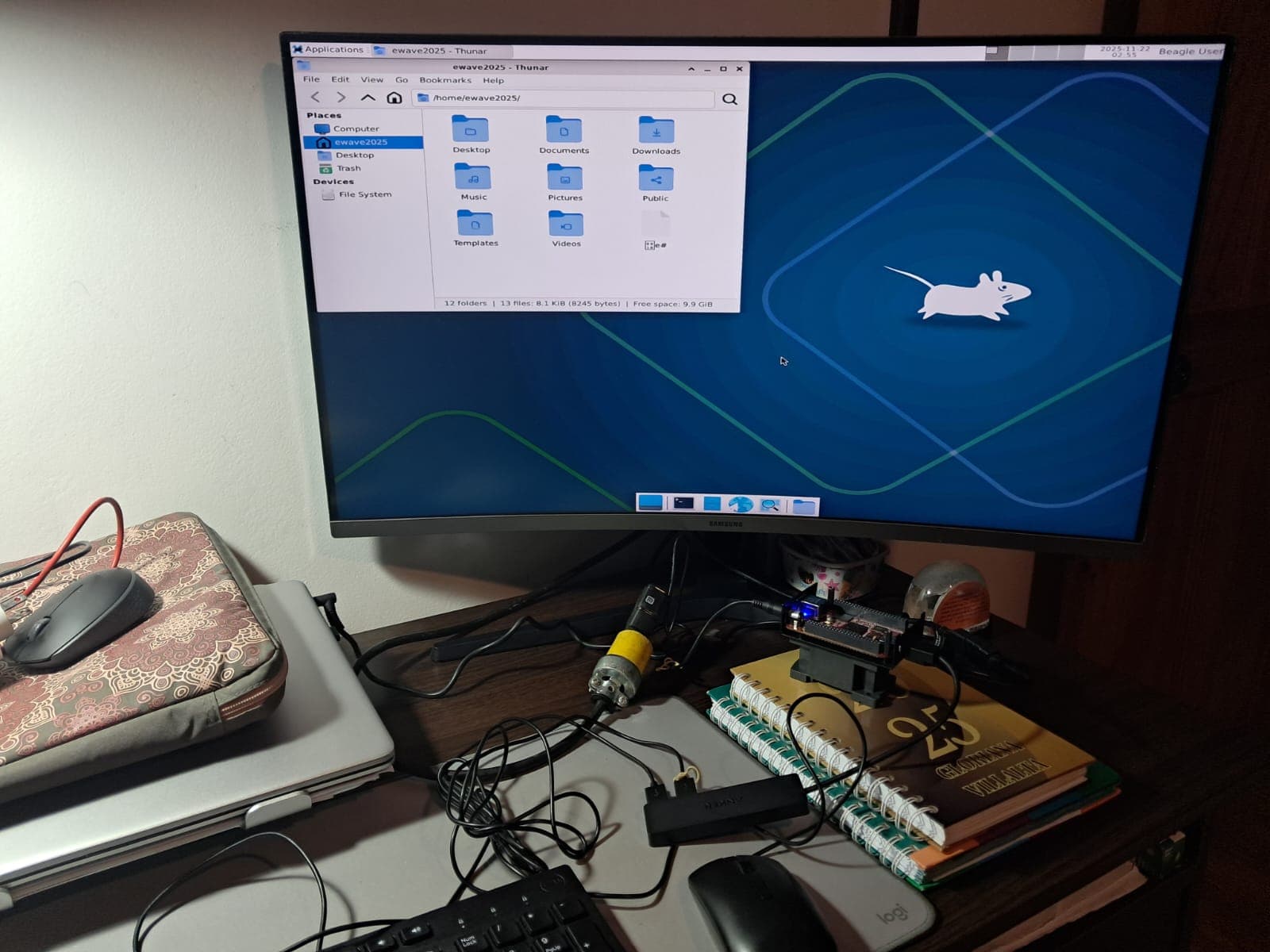
Is it possible to install a Windows manager in this version?
Kind regards
Juan
Sure..
sudo apt update ; sudo apt-get install lightdm bbb.io-xfce4-desktop
and
sudo cp /etc/bbb.io/templates/fbdev.xorg.conf /etc/X11/xorg.conf.d/
@RobertCNelson Thanks a lot!!! It is working now.
Kind regards,
Juan Guerrero (Costa Rica)
1 Like
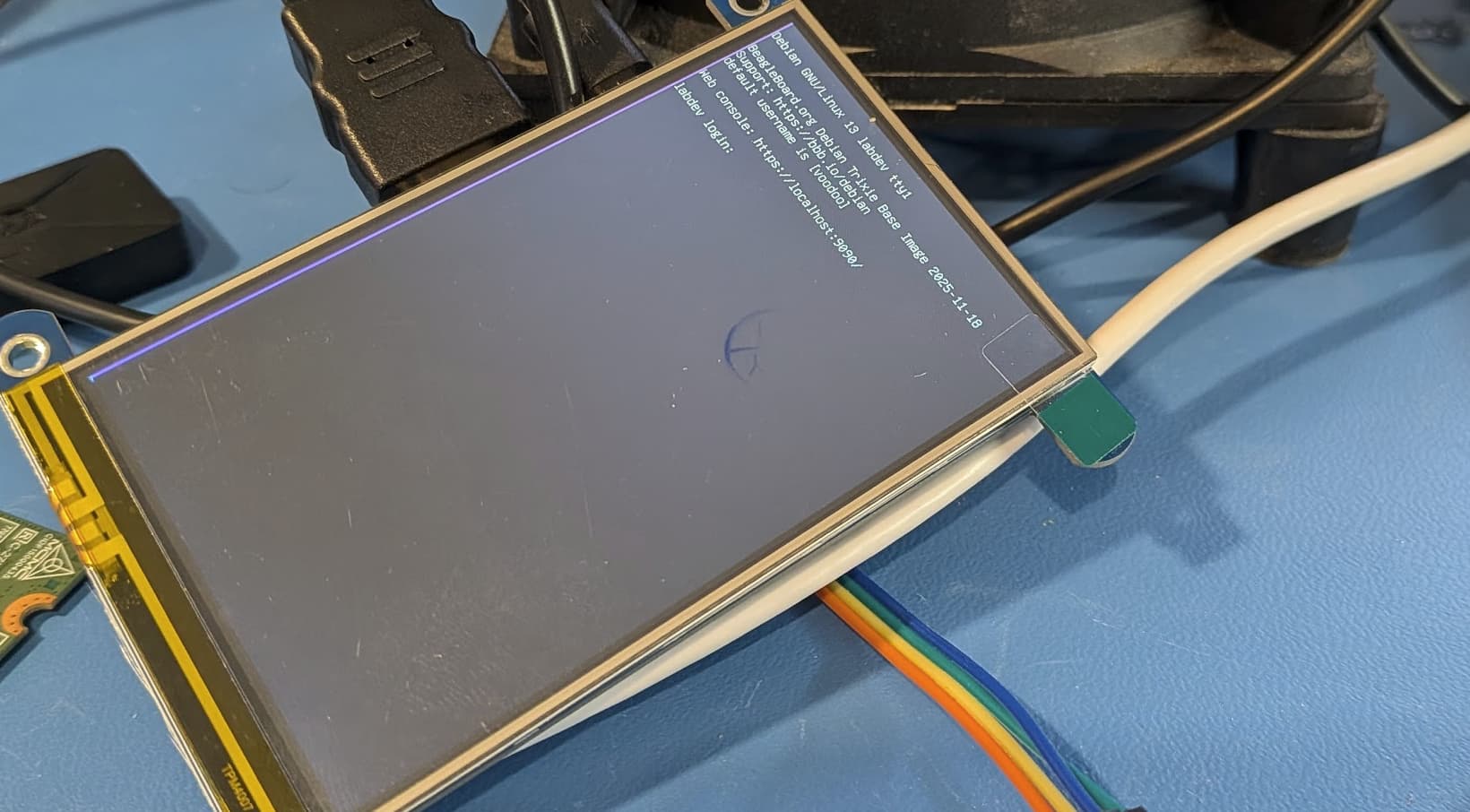
Waveshare 4 Inch HDMI LCD Screen 800x480: Amazon.com: waveshare 4 inch HDMI LCD IPS Display 800x480 Resolution Resistive Touch Screen HDMI Interface for Raspberry Pi 4B/3B+/3B/2B/B+/A+/Zero W,Support Raspbian/Ubuntu/Kali/Retropie : Electronics (works)
voodoo@labdev:~$ uname -r
6.17.9-bone17
voodoo@labdev:~$ cat /sys/class/drm/card0-HDMI-A-1/edid | parse-edid
Checksum Correct

Section "Monitor"
	Identifier ""
	ModelName ""
	VendorName "ADA"
	# Monitor Manufactured week 1 of 2007
	# EDID version 1.3
	# Digital Display
	DisplaySize 150 100
	Gamma 1.00
	Option "DPMS" "false"
	Modeline 	"Mode 0" -hsync -vsync
EndSection
WaveShare 5inch: Amazon.com: Waveshare 5 Inch HDMI LCD Screen 800x480 TFT Capacitive Touch Screen Display Monitor for Raspberry Pi 4B/3B+/A+/B/2B/B+/A+/Zero W Compatible with Windows 10/8.1/8/7 : Electronics
voodoo@labdev:~$ uname -r
6.17.8-bone16
voodoo@labdev:~$ cat /sys/class/drm/card0-HDMI-A-1/edid | parse-edid
Checksum Correct

Section "Monitor"
	Identifier ""
	ModelName ""
	VendorName "ADA"
	# Monitor Manufactured week 1 of 2007
	# EDID version 1.3
	# Digital Display
	DisplaySize 150 100
	Gamma 1.00
	Option "DPMS" "false"
	Modeline 	"Mode 0" -hsync -vsync
EndSection
I have same vertical purple line issue with 1024X600 lcd.
Please let me know if any better solution to fix it completely.
Thanks.
Kory’s working on this for TI, right now our patchset uses an older TI hack..
So i’m watching and testing this series..
Regards,
Thanks for updates..Do we have any estimated timeline for this purple line patch/fix?
Well i tested a few things over the weekend, the status quo with the purple offset is still the ‘best’ working patchset for that screen.. (the other option is no display)..
Regards,
Hello,
I also tried patches from LKML: “Kory Maincent (TI.com)”: [PATCH 00/21] Clean and update tilcdc driver to support DRM_BRIDGE_ATTACH_NO_CONNECTOR but it seems it’s just code clean up activity and these fixes not resolved purple line issue.
I tried multiple driver changes but none of fix helping to remove purple line correctly.
Thanks.
After lots of efforts able to fix the purple line issue.
Just for reference only, sharing the related drivers file for people who are facing similar issues and not getting help from TI/BBB/other forums.Please note , these changes may not work as it is for your LCD and need to adjust parameters in DTS.
Thanks
final_fix_for_lcd.zip (41.9 KB)
1 Like
thanks for taking the time to look into this!
that’s a fun change!
/* ITE IT66121/IT66122 bridge prefers inverted pixel clock and DE-aligned sync */
static const struct tilcdc_panel_info panel_info_it6612x = {
		.ac_bias                = 255,
		.ac_bias_intrpt         = 0,
		.dma_burst_sz           = 8,
		.bpp                    = 16,
		.fdd                    = 0xA0,
		.tft_alt_mode           = 0,
		.invert_pxl_clk         = 1,
		.sync_edge              = 1,
		.sync_ctrl              = 1,
		.raster_order           = 0,
		/* Raise FIFO threshold to reduce underruns on high modes */
		.fifo_th                = 3,
};
@Harshkumar :
I am still reading and following this thread very carefully in order to get hints to make our display working. As said, we have several working, one special type not.
May I kindly ask, is change/adding and integration/using of panel_info_it6612x the only significant change?
I am just figuring out to create a diff with the changes to investigate them. Also, yes, I will copy the files over, no problem. Which Kernel (version) did you use, where should I start to investigate with?
Regards, Konsti
Hi Konstantin,
Main fix is using sync mode as per the ITE161 programming manual and remaining changes are for enhancements only.IT66121 Programming Guide
There are many changes in attached file/patch but you can use required one for ITE driver and DTSI.
fix-lcd-purple-line-issue.patch (33.4 KB)
Easy steps will be:
/\* Manufacturer fixed timings for 1024x600@60 \*/
display-timings {
	/\* Native mode (baseline timing) \*/
	native-mode = <&it66122_timing_1024x600_60>;
	/\* Baseline timing with adjusted porches for ghosting mitigation \*/
	it66122_timing_1024x600_60: timing0 {
		clock-frequency = <48924000>; /\* 48.924 MHz \*/
		hactive = <1024>;
		vactive = <600>;
		/\* Porches aligned for 60 Hz at 48.9 MHz (htotal=1312, vtotal=622) \*/
		hfront-porch = <38>;
		hsync-len = <104>;
		hback-porch = <146>; /\* 38 + 104 + 146 = 288; 1024 + 288 = 1312 \*/
		vfront-porch = <4>;
		vsync-len = <3>;
		vback-porch = <15>; /\* 4 + 3 + 15 = 22; 600 + 22 = 622 \*/
		/\* Known-good polarities: HSYNC positive, VSYNC positive \*/
		hsync-active = <1>; /\* positive \*/
		vsync-active = <1>; /\* positive \*/
		de-active = <1>;    /\* data-enable active high \*/
	};
Hope this will help.
Thank you for your detailed explanations and the patch showing what you did.
This is a hell of much code you added. I am still figuring out on how to cope with that.
I tried 6.12.57 but this is far off with other function names to the DRM core.
Kind Regards
Konstantin
Hi @Konstantin