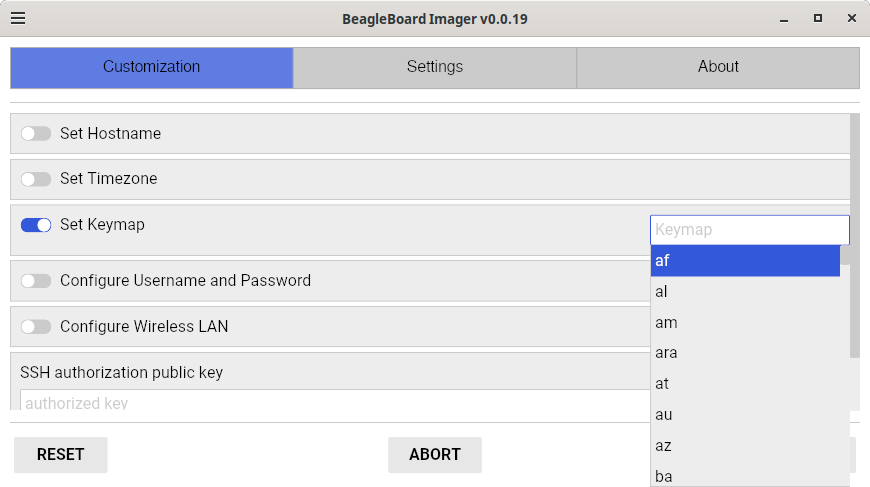
The bug about the keyboard is not just with BBA64
The script to setup booting on SD card or Internal flash has a bug as far as the keyboard is concerned when you choose a different language than us for several languages.
For French Canadian for instance the command line keyboard is cf which is what the script would want.
It sets it correctly for the command line access. For the xorg setting it screws up, it uses the same setting which doesn’t exist so it defaults to english.
At least it doesn’t do like SuSE installed used to do until I finally convinced them that they were screwing up.
During installation I would choose French and the French Canadian keyboard. On boot I couldn’t login because they had it set to the AZERTY keyboard. Login and password entries were done using the QWERTY keyboard during the installation. The French Canadian keyboard is QWERTY with added keys so we can write easily in French, Spanish, Catalan or Portuguese without having to use some strange app to add special characters.
AZERTY is used in France and Belgium for French but in Canada and the US, the French support is either the French Canadian keyboard or the Canadian bilingual keyboard. We had a joke about that last keyboard as it being meant to English people try to write French. You cannot write Spanish or Catalan accented characters as easily as with the French Canadian keyboard.
It is listed as French and Canada. There are other keyboards meant for French in US and Canada but almost no one uses those. The keyboard setting is easy to spot, it is the one with | # and \ on the top left under the esc key.