Dear all,
not a very serious thing, but for me as a beginner in the BeagleBoard world it makes me suspicious.
To my knowledge the latest version of the BeagleBoard Imager is v1.0.7. I’m using this tool for a BeagleBoard AI64 and a BeagleBoard Y-AI. Btw. all the official ‘getting started’ information/documentation that shows the use of the tool needs an update because the look+feel and menus changed recently.
-
General:
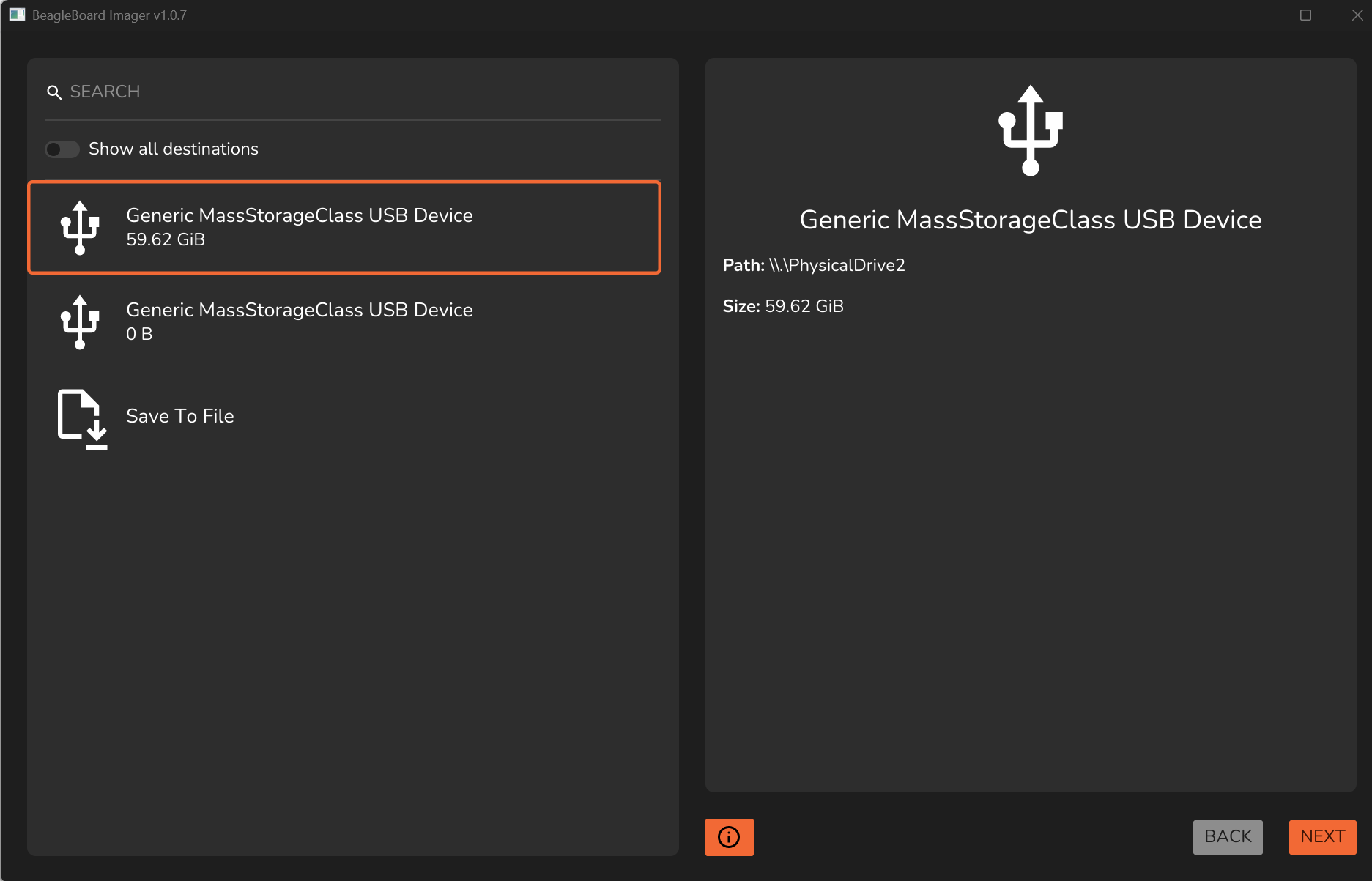
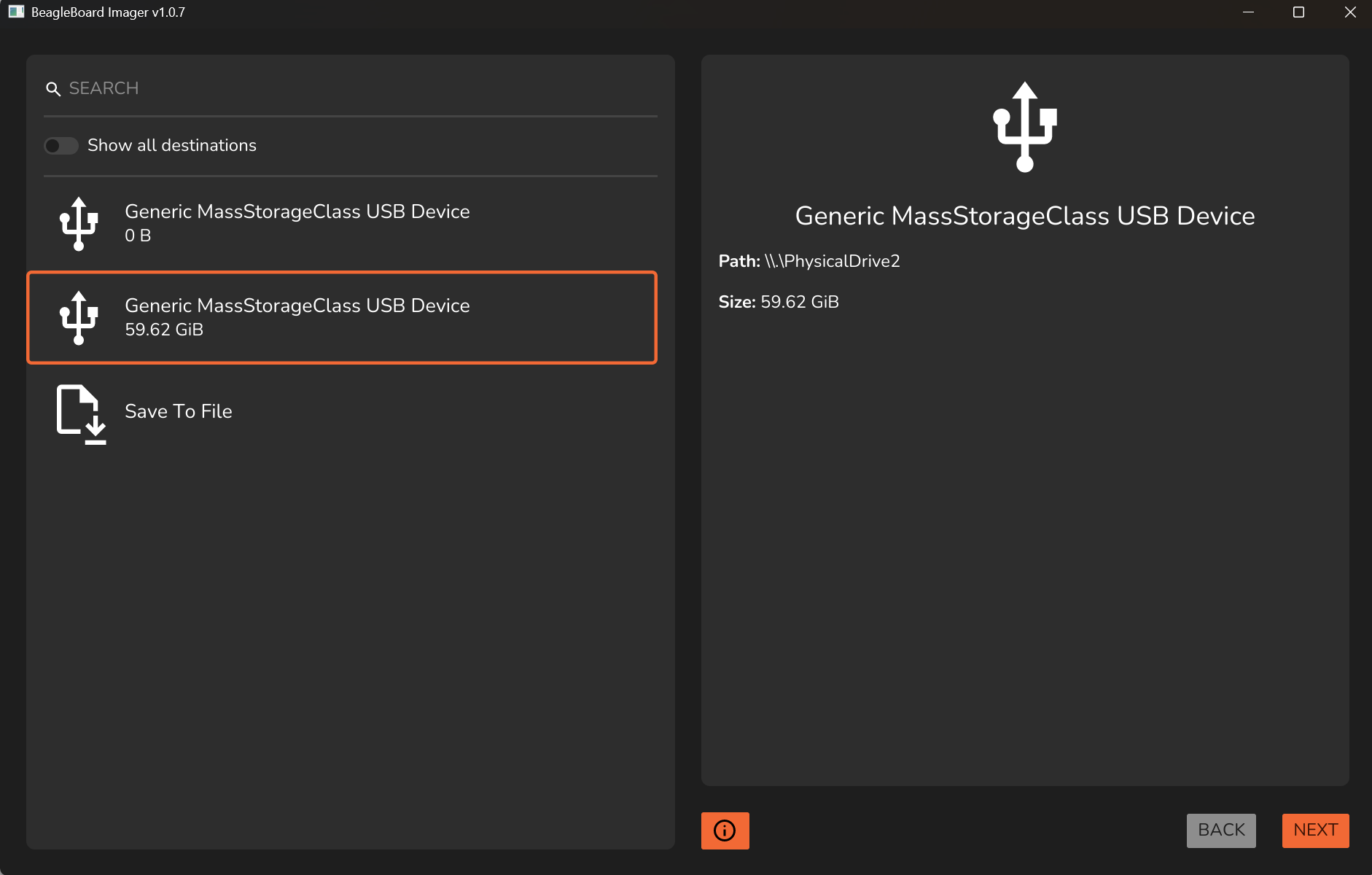
In the ‘Destination’ dialog box the entries to the left are changing their order without user interaction. I couldn’t figure out why and I have not so much experience in GUI programming. It even changes the order without having the mouse pointer in the window. The two screenshots below illustrate the behaviour that happend within 2-3 seconds without user action
-
BeagleBoard AI64:
The tool offers a short list of images. I can remember that previous versions offers more (there was a group for flasher images in the past).
No EdgeAI image at all - that surprise me because if you are not using EdgeAI why you should purchase this board?
No menu for setting user, Wifi, hostname … if you select ‘local image’ (equal to ‘from file’). I couldn’t understand why such basic settings are not offered. I think I remember that in previous versions of the tool this settings has been available. But I’m not sure about this.
The ‘set time zone’ option is not accessable
-
BeagleBoardY AI: As soon as you are setting a wifi configuration in the tool the imager tool fails. It runs till 99% percent and displays a fail msg. I tested this on the offered EdgeAI image. The message in the log windows says:
2026-05-29T07:02:46.152542Z INFO bb_flasher_sd::flashing: Applying customization
2026-05-29T07:02:46.152592Z WARN fatfs::boot_sector: fs compatibility: reserved_sectors value ‘4’ in BPB is not ‘1’, and thus is incompatible with some implementations
2026-05-29T07:02:46.500443Z ERROR bb_imager_gui: Flashing failed with error: CustomizationFileCreateFail {
source: Custom {
kind: NotFound,
error: “No such file or directory”,
},
file: “services/Gast.psk”,
}
After the fail win11 cannot read or even format the SDcard anymore. With win11 diskpart I can bring it back to live.
With the 7.0.9-arm64-k3-r18 image (currently the ‘latest’ image) the wifi setting is working.
The ‘set time zone’ option is not accessable (greyed out)
Before someone is asking. The balenaEtcher tool is not working at all for me. It always fails during the validation. I tried the workarounds given in some forum comments (run as adminstrator, unpack the image file) without any success.
Best Regards
Markus
FWIW, v1.07 works nicely for me on Windows 11.
Is the 0B USB device a real device on your machine, or one of the bugs?
I’ve had similar-feeling random issues, but they were due to me not having enough disk space to unpack the image, or other programs using a lot of memory.
I find the dynamic update of the available devices really important, personally. As by unplugging and replugging in the SD card to be flashed, you can be sure not to accidentally flash / overwrite/ destroy data on, the wrong thing. But I understand why the order swapping for no apparent reason would feel like a GUI bug (if it’s not a phantom device bug I suggested above, is it possible to unplug the other one?).
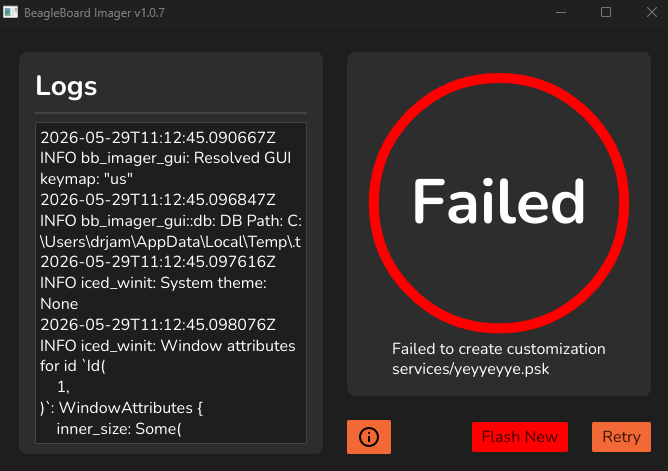
I get the same error when trying to flash the Edge image for the BB-Y AI. I don’t know if Wifi customisation is supported for that image. If so, it’s worth creating an issue on the Github project page. Maybe it’s just a simple Windows path separator mistake? “yeyyeyye” was the wifi SSID I picked.
"services/yeyyeyye.psk"
2026-05-29T11:26:42.066168Z  WARN fatfs::boot_sector: fs compatibility: reserved_sectors value '4' in BPB is not '1', and thus is incompatible with some implementations
2026-05-29T11:26:42.889371Z ERROR bb_imager_gui: Flashing failed with error: CustomizationFileCreateFail {
    source: Custom {
        kind: NotFound,
        error: "No such file or directory",
    },
    file: "services/yeyyeyye.psk",
}
That’s a bug the edgeai image is built with yocto and doesn’t support customization. Either the json file that lists it internally is wrong or something else. @ayush1325
Right. No Wifi. Use Ethernet.
No update/upgrade via apt.
And…the building appliance source is located on gitlab under openbeagle.org.
You can review and tiddle with the files all day!
@MarkusKrug , have you tried it on Ubuntu or Debian/GNU Linux yet for running bb-imager-rs? I got the image to boot a while back but could not get apt data to update/upgrade yet. I have not ported any OS to it either. I got some data working and some model_zoo infrastructure to report back output on an HDMI display for the BeagleY-AI.
Update
This is what I did that worked. I used the newest bb-imager-rs at the time, 0.20.0 was it, on Debian/GNU Linux and wrote to micro SD Card for the BeagleY-AI.
Then, used a Windows 11 desktop to see if it worked. I was able to ssh in to the board via root@IP_ADDRESS.
I used WSL2 to ssh into the board. vi is able to be used as a text editor but not nano.
I had this issue also. I quickly clicked the 30GB micro SD Card and it still switched on/off but I would not allow it to go further without knowing it was flashing to the “right” /dev/sdb location file.
I was using v1.0.6 when I just noticed this “issue” with flashing a BeagleY-AI image. I think maybe because the micro SD Card is not fully empty and/or it is not fully erased and freshly partitioned are reasons why this can cause issues with flashing source code like this GUI called bb-imager and/or bb-imager-rs… ?
The reason I state these ideas:
- My micro SD Card was not empty and had data on it (rootfs and boot)
- I tried with the v1.0.6 and the
switching of 0.00 GB to 29.8 GB kept up before flashing
Anyway, I hope you figured it out. I will attempt to learn more in time to figure it out without questioning my own experience.
The destinations are kinda auto-refreshing in a very crude way. In some cases, the order is not preserved by the OS, and the imager just spits that out. Maybe I can just sort by name or something to make the order constant.