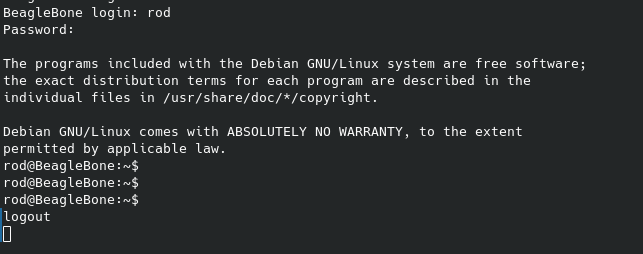
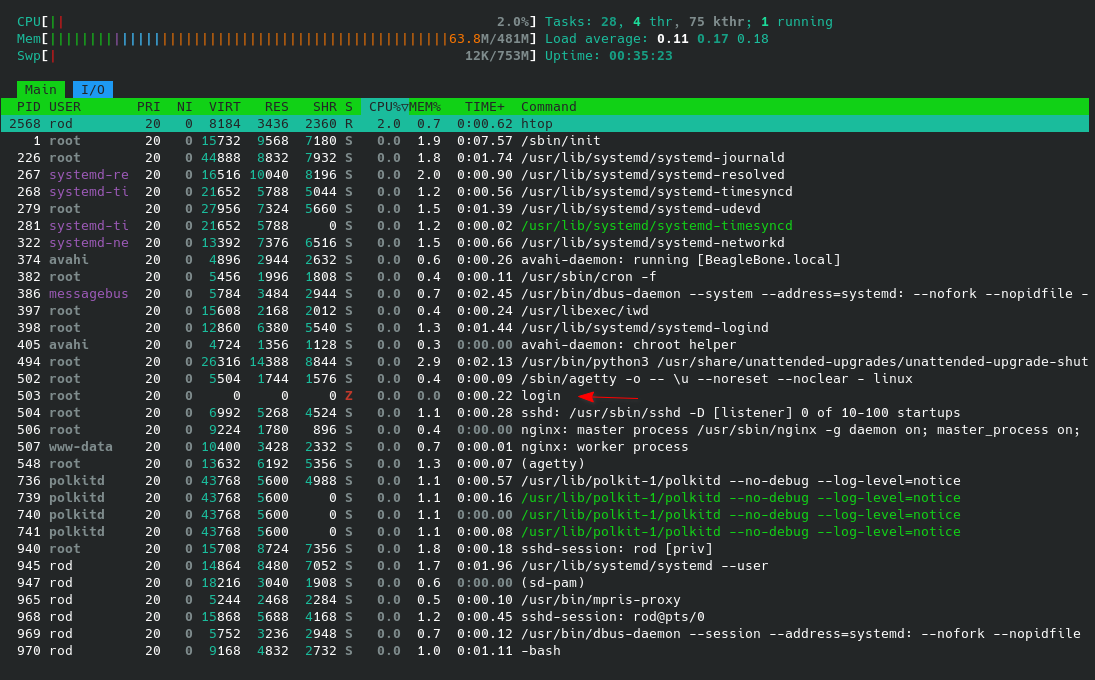
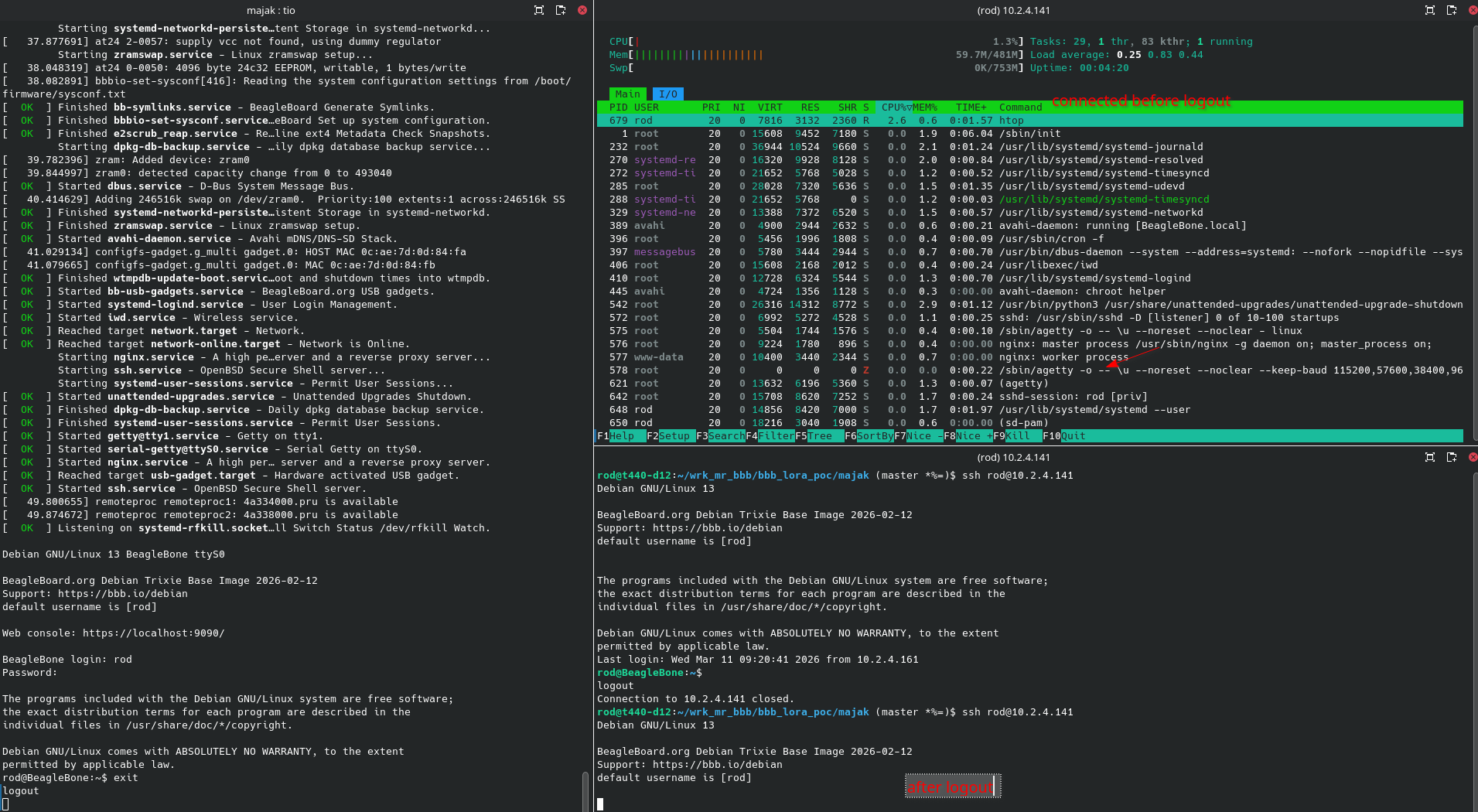
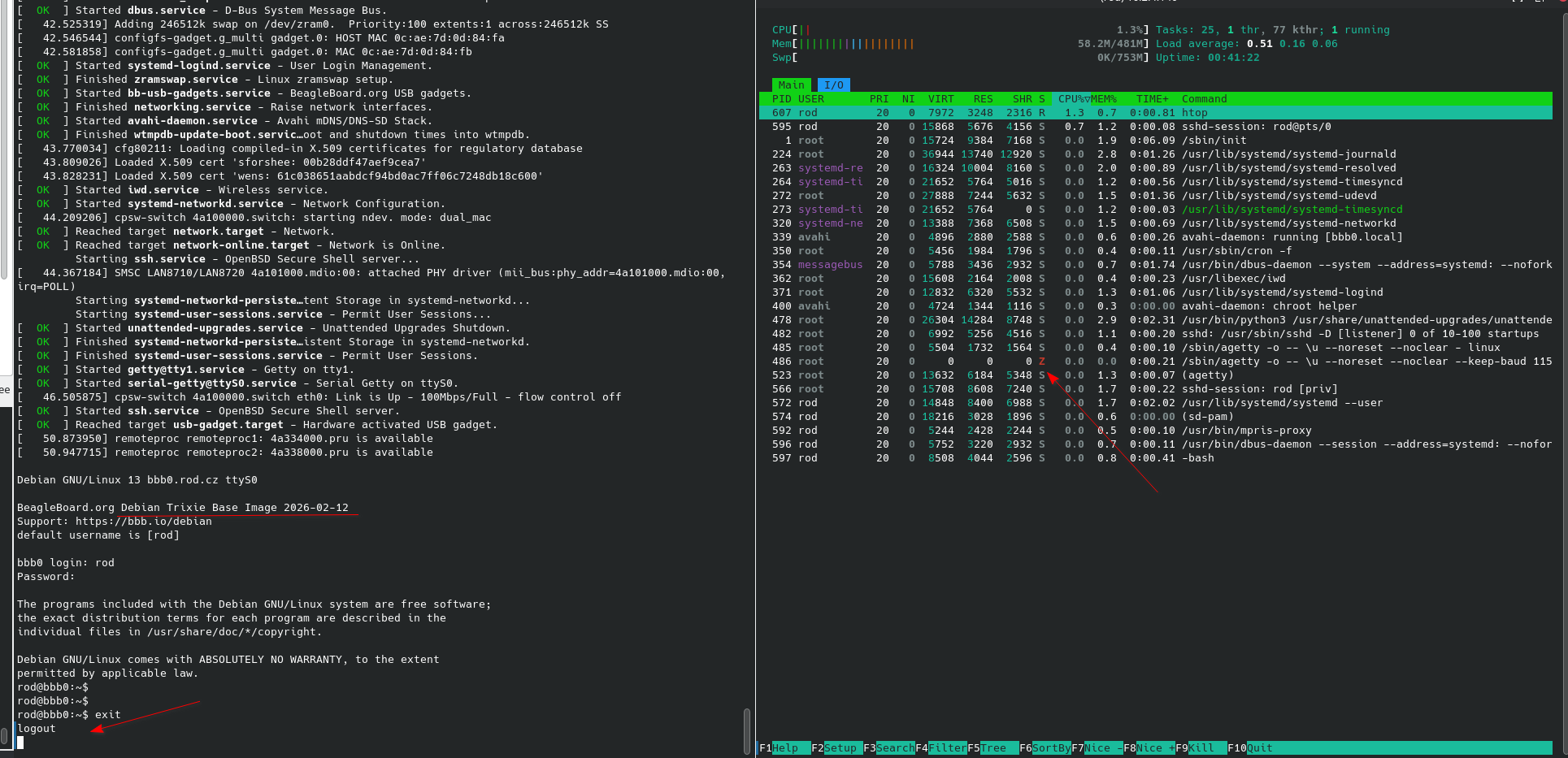
I can’t log out from serial console. login is zombie state after logout. Similar situation after
systemctl stop serial-getty@ttyS0.service with agetty.
Kernel is 6.19.6-bone11 (voodoo@rpi4b4g-08)
Is this a fault with my board, or does this occur elsewhere?
doesn’t the uart have getty running on it? So when you exit it just listens for another connection.
You could disable getty, but then how would you ever log in on the serial connection. I guess the problem is how do you tell a uart is down? When its only RX and TX e.g. two wires - it must be hard …
systemctl stop serial-getty@ttyS0.service - it is only example. The another way how to create the same type of error.
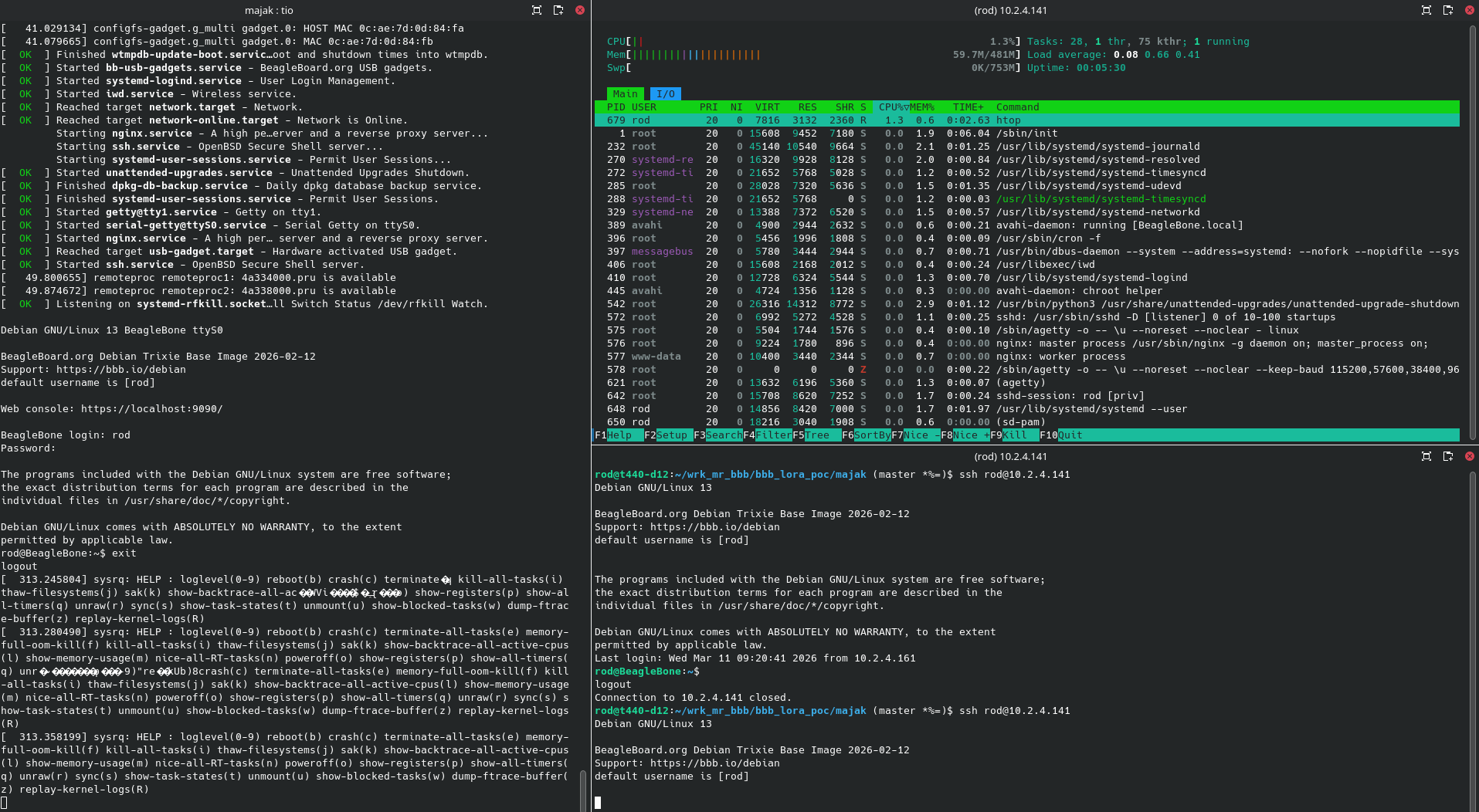
It seems that the something crash after logout from serial console. It is not possible login with ssh and it is not possible poweroff or reboot board.
Bizarre, so when you log out on the UART, even you can’t login on SSH any more due to the frozen login? Thats Bizare, never had that before - it should be a separate process that is listening to the SSH port, than is listening to the UART (getty). Each process should be able to initialise a login process.
So you have me scratching my head here … that is very odd.
Usually when you logout on the UART, but keep the UART open - you can see it goes back to the login prompt. So what do you see if you keep the UART open?
This is what I see on a UART:
PocketBeagle2 login: summers
Password:

The programs included with the Debian GNU/Linux system are free software;
the exact distribution terms for each program are described in the
individual files in /usr/share/doc/*/copyright.

Debian GNU/Linux comes with ABSOLUTELY NO WARRANTY, to the extent
permitted by applicable law.
summers@PocketBeagle2:~$ exit
logout

Debian GNU/Linux 13 PocketBeagle2 ttyGS0

BeagleBoard.org Debian Trixie Base Image 2025-12-02
Support: https://bbb.io/debian
default username is [summers]

Web console: https://localhost:9090/

PocketBeagle2 login:
I see this: (slightly different from the previous one, I use exit , not Ctrl + D)
and after unplug serial cable from serial/usb convertor on console:
This board is old. I don’t remember history, It can be damaged …
Unplugging the serial cable shouldn’t change it I think, the UART just has RX and TX, and I don’t think can tell when a cable is unplugged.
The log messages you see, say something is crashing. not clear what. The oom thing suggests something has eaten the whole memory.
Maybe fsck the disk - but can’t see that helping - it normally won’t boot with a corrupt file system.
I’m still confused - hopefully some one here can understand these symptoms better …
Second board - the same result, cannot logout from serial console and the state of agetty is - Z
from htop man pages: Z - for zombie (waiting for parent to read its exit status)
Any idea?
What kernel are you on? i love we have ‘can’t’ login as login doesn’t show up and ‘can’t logout’ bugs at the same time!
testing:
voodoo@BBB-ECO:~$ uname -r
7.0.0-rc6-bone6.6
voodoo@BBB-ECO:~$ exit
logout

Debian GNU/Linux 13 BBB-ECO ttyS0

BeagleBoard.org Debian Trixie Base Image 2026-03-17
Support: https://bbb.io/debian
default username is [voodoo]

BBB-ECO login:
voodoo@BBB-ECO:~$ uname -r ; exit
6.19.12-bone15
logout

Debian GNU/Linux 13 BBB-ECO ttyS0

BeagleBoard.org Debian Trixie Base Image 2026-03-17
Support: https://bbb.io/debian
default username is [voodoo]

BBB-ECO login:
voodoo@BBB-ECO:~$ uname -r ; exit
6.18.22-bone27
logout

Debian GNU/Linux 13 BBB-ECO ttyS0

BeagleBoard.org Debian Trixie Base Image 2026-03-17
Support: https://bbb.io/debian
default username is [voodoo]

BBB-ECO login:
voodoo@BBB-ECO:~$ uname -r ; exit
6.17.13-bone21
logout

Debian GNU/Linux 13 BBB-ECO ttyS0

BeagleBoard.org Debian Trixie Base Image 2026-03-17
Support: https://bbb.io/debian
default username is [voodoo]

BBB-ECO login:
voodoo@BBB-ECO:~$ uname -r ; exit
6.16.12-bone26
logout

Debian GNU/Linux 13 BBB-ECO ttyS0

BeagleBoard.org Debian Trixie Base Image 2026-03-17
Support: https://bbb.io/debian
default username is [voodoo]

BBB-ECO login:
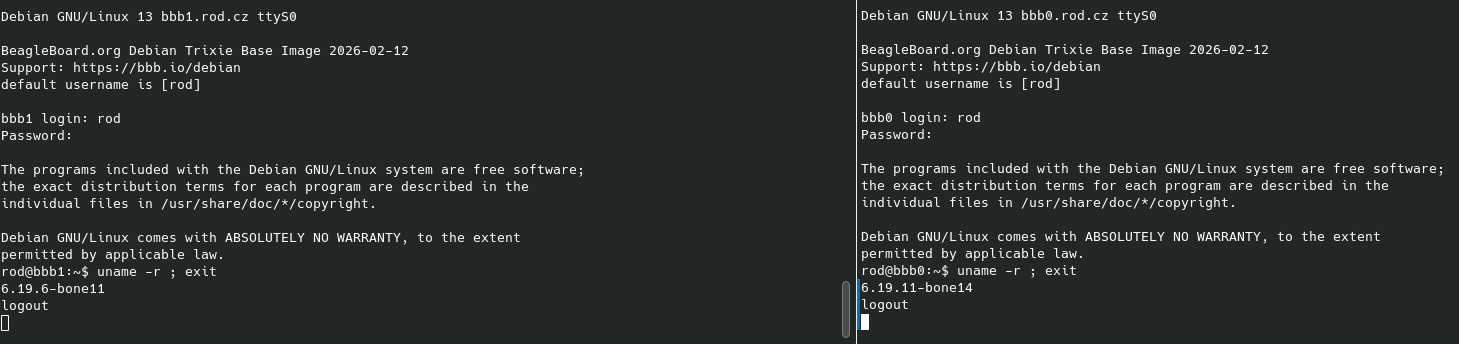
6.19.6-bone11 and 6.19.11-bone14
Does it make sense to switch to a new image - 2026-03-17?
apt update/upgrade will pull in all the changes
I see the delayed loading of the driver. Seems to load fine now. and the hanging serial seems to be fixed. I;m okay with the system taking 80 seconds to boot if it works well.
[   50.787653] rtw_core: loading out-of-tree module taints kernel.
[   51.012183] rtw_8821cu 1-1:1.0: Firmware version 24.11.0, H2C version 12
[   53.013192] usbcore: registered new interface driver rtw_8821cu
[   79.715637] wlan0: authenticate with 6c:b0:ce:81:ee:cc (local address=90:de:80:c1:08:61)
[   79.770758] wlan0: send auth to 6c:b0:ce:81:ee:cc (try 1/3)
[   79.777226] wlan0: authenticated
[   79.786205] wlan0: associate with 6c:b0:ce:81:ee:cc (try 1/3)
[   79.804810] wlan0: RX AssocResp from 6c:b0:ce:81:ee:cc (capab=0x11 status=0 aid=4)
[   79.825090] wlan0: associated
yeap that’s this driver… GitHub - lwfinger/rtw88: A backport of the Realtek Wifi 5 drivers from the wireless-next repo. · GitHub
Try this to load it sooner.
echo "rtw_8821cu" | sudo tee /etc/modules-load.d/rtw88.conf
sudo update-initramfs -uk `uname -r`
(also need to copy the firmware in the inird too.. so we need to look that up..)
Regards,
I did
git clone -b 6.19.12-bone15 https://github.com/RobertCNelson/linux-stable-rcn-ee --depth=100
Added my drivers, compiled and the rtw_8821cu driver is broken again, thoughts? Is there something else I need to do?
Logout from serial console after apt update/upgrade: does not work correctly. No change.
Maybe a log will help …
uEnv.txt (2.2 KB)
log.txt (64.6 KB)
I bet they’re busy looking into this one. 
I’ve looked at it, but right now I can’t reproduce it.
Where could the difference be?
How to find out the board version?
Can I debug getty with reasonable effort?
Maybe I have a different problem that deserves a new thread. kernel:[6.19.12-bone15]
About every 5 reboots the serial console hangs where I cannot login, no prompt.
This driver seems to be working
dmesg|grep 8821
[   51.176678] rtw_8821cu 1-1:1.0: Firmware version 24.11.0, H2C version 12
[   52.858559] usbcore: registered new interface driver rtw_8821cu
[   79.228167] rtw_8821cu 1-1:1.0: failed to get urb length:0
no ttyS0
ps aux | grep agetty
root       565  0.0  0.3   5504  1732 tty1     Ss+  16:48   0:00 /sbin/agetty -o -- \u --noreset --noclear - linux
root       566  0.0  1.2  13632  6236 ttyGS0   Ss+  16:48   0:00 (agetty)
root       567  0.0  0.0      0     0 ?        Zs   16:48   0:00 [(agetty)] <defunct>
debian     780 33.3  0.3   7004  1740 pts/0    S+   17:10   0:00 grep agetty
sudo systemctl daemon-reexec
hangs, I have to ^C to get out
sudo kill -9 566
debian@BeagleBone:~$ ps aux | grep agetty
root       565  0.0  0.3   5504  1732 tty1     Ss+  16:48   0:00 /sbin/agetty -o -- \u --noreset --noclear - linux
root       809  0.2  1.2  13632  6236 ttyGS0   Ss+  17:20   0:00 (agetty)
root       810  0.2  0.3   5548  1784 ttyS0    Ss+  17:20   0:00 /sbin/agetty -o -- \u --noreset --noclear --keep-baud 115200,57600,38400,9600 - vt220
debian     818 50.0  0.3   7004  1740 pts/0    S+   17:20   0:00 grep agetty
Killing original ttyGS0 process solved the problem. So there seems to be some contention between ttyGS0 and ttyS0
I hope this is clear enough.
It just occurred to me - how are you opening the serial console on the host machine?
I do something like:
screen /dev/ttyACM0 115200
Now doing that I can log onto the beagle, but when I log off - the screen goes back to login process. E.g. the screen process on the host machine stays connected to the UART even though I have logged out on the beagle.
Now I don’t know how you are accessing the serial device, but if the process on the host machine keeps the serial device open, then it is locking the serial device. When this happens you can’t access the serial device again, as it is already locked on the host machine. The beagle also won’t respawn getty, but when the serial port blocks (e.g. the far end isn’t reading the characters) then on the beagle it will also block, and maybe zombie.
Is this what you are seeing? If so it isn’t a fault - this is how it should be working?
I have minicom on the host machine and a 3.3V usb serial adapter.
sudo chmod a+rw /dev/ttyUSB0
minicom -D /dev/ttyUSB0