Enhanced HDMI & Splash Support for BeaglePlay in U-Boot

Enhanced HDMI & Splash Support for BeaglePlay in U-Boot

Right now, BeaglePlay doesn’t show anything on HDMI during bootup. If you want to see what’s happening while the board is booting, you’re forced to plug in a serial cable and watch logs scroll by. Which is not great for everyday users or display-first devices.

This project brings HDMI output to U-Boot on BeaglePlay by adding support for the IT66121 DPI-to-HDMI bridge and improving U-Boot’s splash screen system. The goal is to make the board give clear visual feedback as soon as it powers on.

With this, BeaglePlay will be able to show a splash screen on HDMI during boot, complete with proper scaling, rotation, and optional progress indicators. This makes the boot process easier to understand and much more friendly for headless setups.

The IT66121 driver will be implemented in a clean, upstream-ready way using U-Boot’s video bridge framework. It will handle EDID detection and support common display resolutions like 720p and 1080p. All splash behavior will be configurable through environment variables, so the work can be reused across other Beagle boards in the future.

If everything comes together early, a stretch goal is to experiment with basic HDMI audio during boot, allowing a simple boot chime or audio cue using McASP and HDMI audio passthrough. This would provide useful feedback even when no display is connected.


Goal:
Enable HDMI display output during U-Boot on BeaglePlay with a modern, configurable splash screen system, suitable for upstream.

Hardware Skills:
Basic understanding of display interfaces (DPI, HDMI), I2C

Software Skills:
U-Boot internals, device tree, embedded C, Linux display pipelines

Expected Outcome:

  • IT66121 HDMI bridge driver in U-Boot

  • HDMI output during early boot on BeaglePlay

  • Enhanced splash screen framework with scaling and rotation

  • Optional boot-time audio support (stretch goal)

Expected Mentors:
@dhruvag2000, Devarsh Thakkar (tentative)

Expected Size of Project:
Medium (≈350 hours)

Upstream Repository:
BeagleBoard.org U-Boot (GitHub - beagleboard/u-boot)

2 Likes

Thanks for the proposal. HDMI splash support on beagleplay is indeed a good idea and can be expanded to beagleYAI, bbAI64 too as I understand they too also use same bridge IC i.e. IT66121. Also some of them for e.g. beagleplay has OLDI interface so OLDI splash support can also be enabled.

Also could you elaborate more on use-case and inspiration for “Enhanced splash screen framework with scaling and rotation“

Regards

Devarsh

I LOVE it! I’d add making sure it works with EFI so that we can run EFI boot programs with UIs, like GRUB. U-boot has basic EFI support, so I think this should be OK.

See UEFI subsystem — Das U-Boot unknown version documentation

See also GOP - OSDev Wiki

Hi Devarsh,

Thank you for the feedback. I agree that IT66121 support should extend to BeagleY-AI and BBAI64 as well. But at the moment, the U-Boot TIDSS (DSS) driver only supports AM625 display hardware (BeaglePlay). Support for AM67A/J722 (BeagleY-AI) and J721E (BBAI64) is not yet available in U-Boot, but these boards will still benefit from the IT66121 driver once their DSS pipelines are enabled.

I plan to keep the implementation board-agnostic using device tree configuration and the existing U-Boot video bridge framework so the same driver can be reused cleanly across all three boards.

I loved the idea of OLDI splash support on BeaglePlay . I will incorporate this so the splash mechanism can operate across both HDMI and OLDI where hardware allows.

Regarding the inspiration for an enhanced splash framework with scaling and rotation :

  • Resolution mismatch - Splash images must match panel resolution or they appear cropped/misaligned. Scaling enables reuse across displays.

  • Display orientation - Many embedded systems use portrait or rotated panels; runtime rotation removes the need for separate pre-rotated images and alows flexiblity .

  • Boot-time indicator - Progress indicators improves reliability, especially in headless deployments.

Overall, the aim is to improve usability and provide a reusable, cross-board splash solution within the Beagle ecosystem.
Shaurya

Since U-Boot exposes the active framebuffer via EFI GOP, IT66121 support in the TIDSS path should enable both early splash and graphical EFI bootloaders like GRUB. I’ll include explicit GOP validation (e.g., graphical GRUB at native resolution) in the project plan.
I am currently going through datasheets of ITE66121 and will get back to you guys soon with my updated implementation plan

Hi Shaurya,

Regarding runtime rotation, I don’t think TI DSS present in beagle devices/TI K3 devices supports rotation and software rotation is a latency intensive operation we are probably better off with pre-rotated images then imho. Regarding scaling I think hardware supports it but there are some restrictions e.g 1/4th is possible 1/16th might not be, so it is feasible but how much it would be useful, that’s something to be thought of :slight_smile:

Regarding boot time indicators, do you want to show some progress bar ? I am not sure it is feasible, uboot does not support interrupts so have to live with static image. What we can do is to boot with a static image and then while kernel is booting we can have psplash or some display client display progress bar using early framebuffer while modules are loading and services are getting initialized although that will be for quite short time.

Regarding OLDI, we have some working references on TI boards and I think we had also enabled beagleplay compatible LCD in past, so that should not be too difficult, HDMI reference with a different bridge is also available.

Regarding non-AM62 platforms, it should not be too difficult to extend once bridge support is there, in vendor-tree we have AM62P splash support and DSS topology is similar to what is present in beagleYAI, so that shud be feasible as well.

Also as for the use-case we can also aim for flicker-free transition between uboot and main UI app, there is some infra available now so should be plug and play mostly. Anyways, we can start with simple definitions and build upon/extend later too.

Regards

Devarsh

Hi Devarsh,

This is extremely helpful in updating the scope.Based on your points and a deeper look into the current U-Boot codebase I think:

1. Rotation & Progress Bars Thank you for pointing that out. I will drop the runtime rotation and scaling goals and the goal will be to display a static splash in U-Boot and then hand off to psplash in Linux for the actual loading animation.

2. Flicker-Free Boot (SimpleFB) I really like the suggestion to aim for a flicker-free transition. I’ve analyzed the U-Boot codebase and found that simplefb support is already available (drivers/video/simplefb.c).
I plan to implement ft_board_setup() in the BeaglePlay board file to insert a simple-framebuffer node into the device tree before the kernel boots. This will allow the Linux kernel to reuse the framebuffer configured by U-Boot, keeping the display active and preventing flickering until the DRM driver takes control.

3. OLDI Support I checked that OLDI hardware support is actually already implemented in the TIDSS display controller driver (drivers/video/tidss/tidss_drv.c). Hence I can treat OLDI support primarily as a Device Tree configuration task and updating missing parts of the driver rather than writing a new driver from scratch. This makes supporting both HDMI and OLDI feasible within the timeline.

Updated Priorities:

  1. IT66121 Driver: Implement and upstream the DPI-to-HDMI bridge driver
  2. Static Splash Screen: Integrate splash screen framework for(beagle-play,beagle-y-ai,bbai64 etc) and display a boot splash image for both HDMI and OLDI.
  3. psplash Integration: Show a progress UI after U-Boot till our UI is up.
  4. Flicker-Free Boot (SimpleFB): Hand off the U-Boot framebuffer to Linux to prevent screen blanking during boot..
  5. OLDI Splash Support: Enable splash output over the existing TIDSS OLDI path using Device Tree configuration and updating OLDI support.
  6. EFI Graphics Support: Ensure framebuffer compatibility with EFI GOP so graphical bootloaders like GRUB can run.

Shaurya

Thanks Shaurya, this looks good to me mostly. Maybe as a stretch if time permits we can expand scope to enable/test some existing spi memory based displays too later on.

Regards

Devarsh

For now, I’ll continue prioritizing the IT66121 driver bring-up along with the static splash → psplash → flicker-free SimpleFB handoff pipeline. Once display path is stable, I can start looking into existing SPI display support in U-Boot to see the feasibility within the remaining timeline.

I’ll start with the IT66121 work and share updates as I work towards the initial HDMI output.

Thanks again for the guidance!

Hi Devarsh, Dhruva and everyone,

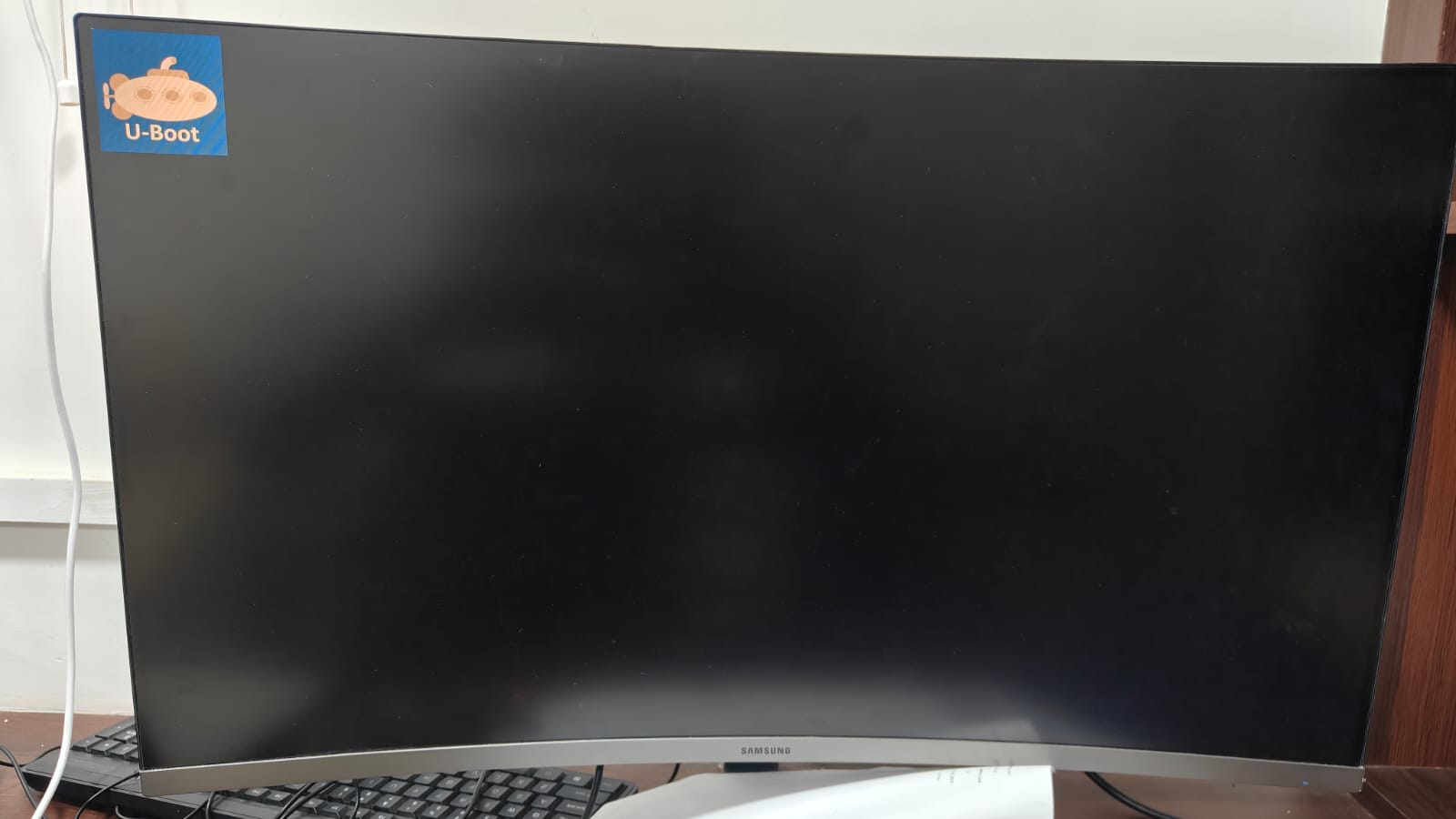
Sharing my first major milestone HDMI output is now working on BeaglePlay in U-Boot, including BMP splash screen display. Here’s what’s been accomplished:

Completed: IT66121 DPI-to-HDMI Bridge Driver

Wrote a complete U-Boot driver for the ITE IT66121 implementing the VIDEO_BRIDGE uclass. The driver handles:

  • Chip identification - Verifies vendor/device ID over I2C
  • Hardware initialization -Full power-on sequence from the ITE Programmer’s Guide
  • EDID reading - Reads monitor EDID via the IT66121’s DDC controller automatically detects the monitor’s preferred resolution and timing
  • AFE configuration - Configures the Analog Front End for high-speed or low-speed pixel clocks, following the Linux ite-it66121.c driver sequence
  • HDMI video output - Sets RGB 24-bit input, HDMI mode, General Control Packets, and AV mute control
  • The driver follows the Linux kernel driver’s proven sequence

Completed: Device Tree & Config Integration

  • Added the necessary Device tree changes to integrate IT66121 driver with uboot
  • Updated am62x_beagleplay_a53_defconfig with all necessary configs (VIDEO_TIDSS, VIDEO_BRIDGE, IT66121, BMP, CMD_BMP, SPLASH_SCREEN, etc.)

Verified on Hardware

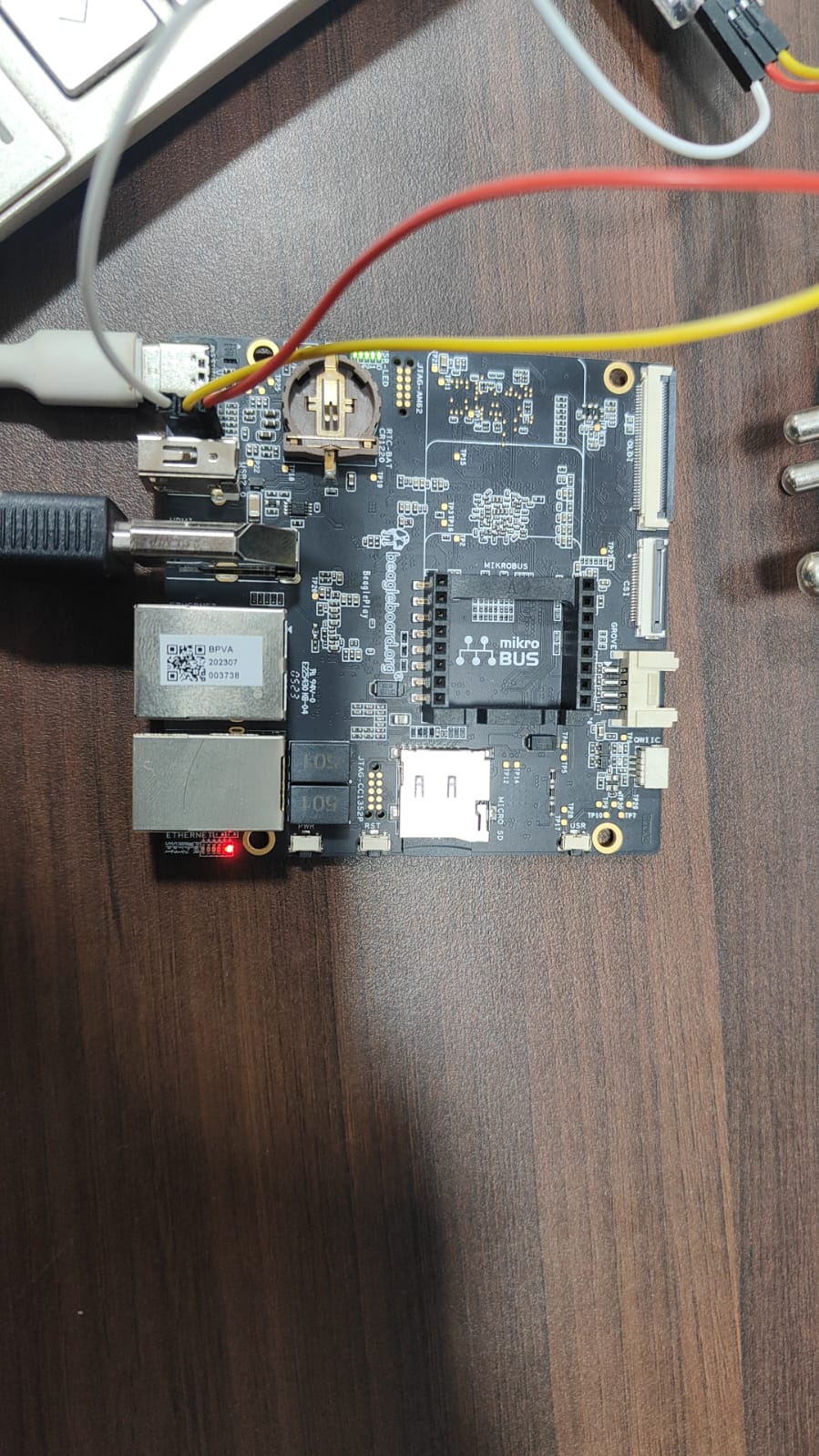
  • Board: BeaglePlay
  • Monitor: Samsung LC32R500FHWXXL (32" 1080p, HDMI)
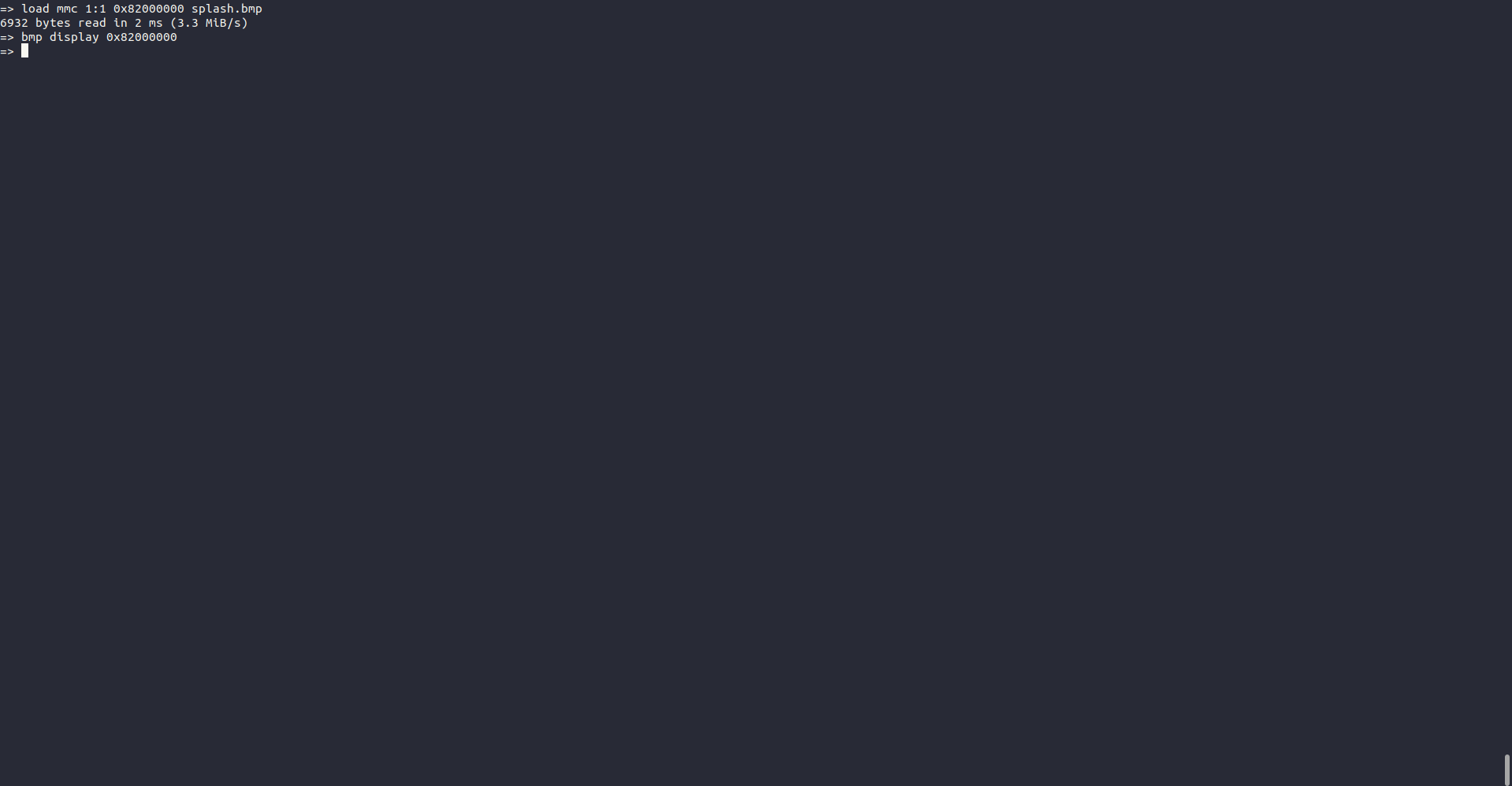
  • Tested: U-Boot console on HDMI (vidconsole), BMP splash screen display via bmp display

Next Steps

  1. Static Splash Screen - Integrate auto-splash at boot
  2. psplash Integration - Hand off to psplash in Linux for loading animation
  3. Flicker-Free Boot (SimpleFB)
  4. OLDI Splash Support

Will share the patches for review once I clean them up for upstreaming.

Shaurya

1 Like

(post deleted by author)

(post deleted by author)

Hi @bing0426,

Thanks for your interest in the project.

Just to clarify, I’m still actively planning to continue working on this. I’ve been a bit busy recently due to college exams, so I haven’t been able to post updates as frequently.

The IT66121 HDMI driver itself has already been completed and tested on hardware. The remaining tasks (static splash integration, psplash handoff, SimpleFB for flicker-free boot, and OLDI splash support) are things I plan to continue working on once my exams settle down.

I’ll be resuming work on it shortly and will share the cleaned-up patches for upstream review.

Best,
Shaurya

Hi Shaurya,

Thank you for taking the time to reply and for the clear explanation.

I apologize for my earlier misunderstanding. I wrongly assumed you were only the proposer/community contributor and that the remaining tasks (static splash, psplash handoff, SimpleFB, OLDI) would be open for a new GSoC student. I now understand that you are actively continuing the work yourself after your exams, and I completely respect that.

You’ve already done excellent work getting the IT66121 driver fully functional and tested on real hardware — that’s impressive progress, and I don’t want to step on any of your effort.

I’m sorry if my previous post came across as trying to take over your project. That was never my intention. I’ll step back from this idea and look for other opportunities.

Wishing you all the best with finishing the remaining tasks and getting everything upstreamed successfully!

Best regards,
chenlei