I just flashed my BeagleBone Black (hereafter referred to as BBB) image to the internal eMMC and successfully booted from it.
I modified /boot/uEnv.txt and add kernel param “video=HDMI-A-1:1024x768@60e“ to make my display work.
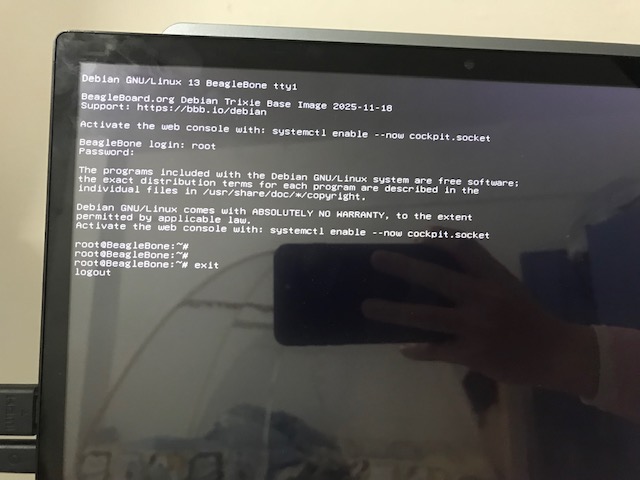
I connected the HDMI to the BBB and was able to log in. However, I discovered that using the exit command causes the system to freeze.
The issue can be reproduced with both of the following images:
-
am335x-debian-13.2-base-v6.17-armhf-2025-11-18-4gb.img.xz
-
am335x-debian-13.2-base-v6.12-armhf-2025-11-18-4gb.img.xz
I executed systemctl enable --now getty@tty{2,3,4,5,6} to enable login from tty2, tty3, etc.
I first logged in from tty1, then tty2, and then tty3. When I executed exit from tty1, it displayed “logout” and then froze. I could only press Ctrl + Alt + F2 to switch to tty2 and continue operations.
-
Running
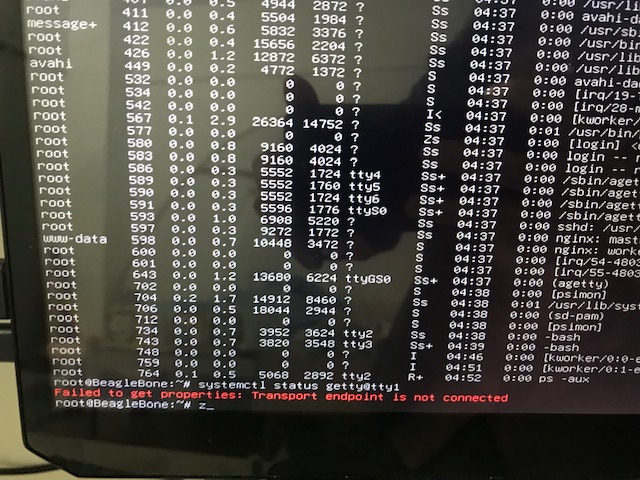
systemctl status getty@tty1hangs for a long time and eventually shows “Transport endpoint is not connected.” -
Executing
ps -auxtakes a long time before outputting results. -
The
rebootcommand fails to restart the system; I had to switch to tty3 and executereboot -fto force a restart. -
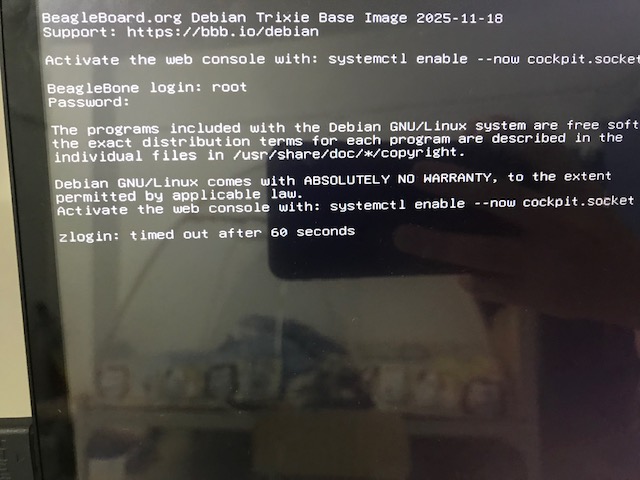
Attempting to log in from tty4 results in a “logout timeout” message.
I have no idea what’s causing this issue. I tried adjusting the cmdline from uEnv.txt, but it didn’t help.
cat /proc/cmdline
console=ttyS0,115200n8 root=/dev/mmcblk1p3 ro rootfstype=ext4 rootwait fsck.repair=yes video=HDMI-A-1:1024x768@60e