After changing the image in eMMC, my HDMI was not working. Please let me know what the default OS is there earlier, and please provide me the download link for that. In Bikalpone Black .
Latest image can be installed from this utility… BeagleBoard Imager
Hi@RobertCNelsonThank you for your reply. What is the os need to have HDMI output
Which Rev? Rev c? or Rev d?
Rev c
For Rev C, any version..
SBC, BeagleBone Black REV C v5, AM3358BZCZ100, ARM Cortex-A8, 32bit, 512MB RAM, 4GB Flash, USB Type-A
sudo beagle-version
debian@BeagleBone:~$ sudo beagle-version
[sudo] password for debian:
eeprom:[A335BNLT00D02539SBB09214]
model:[TI_AM335x_BeagleBone_Black]
dogtag:[BeagleBoard.org Debian Bookworm IoT Image 2025-10-15]
bootloader:[eMMC-(default)]:[/dev/mmcblk1]:[U-Boot SPL 2022.04-ge543709d (Jun 27 2025 - 18:09:26 +0000)]:[location: dd MBR]
UBOOT: Booted Device-Tree:[am335x-boneblack-uboot.dts]
UBOOT: Loaded Overlay:[AM335X-PRU-UIO-00A0.kernel]
UBOOT: Loaded Overlay:[BB-ADC-00A0.kernel]
UBOOT: Loaded Overlay:[BB-BONE-eMMC1-01-00A0.kernel]
UBOOT: Loaded Overlay:[BB-HDMI-TDA998x-00A0.kernel]
kernel:[6.1.83-ti-r40]
/boot/uEnv.txt Settings:
uboot_overlay_options:[enable_uboot_overlays=1]
uboot_overlay_options:[uboot_overlay_pru=AM335X-PRU-UIO-00A0.dtbo]
pkg check: to individually upgrade run: [sudo apt install --only-upgrade ]
pkg:[bb-customizations]:[1.20250808.0-0~bookworm+20250808]
pkg:[bb-usb-gadgets]:[1.20250523.1-0~bookworm+20250527]
pkg:[bb-wl18xx-firmware]:[1.20230703.0-0~bookworm+20240703]
pkg:[kmod]:[30+20221128-1]
groups:[debian : debian adm kmem dialout cdrom floppy audio dip video plugdev users systemd-journal input render netdev i2c bluetooth gpio admin tisdk weston-launch]
cmdline:[console=ttyS0,115200n8 root=/dev/mmcblk1p1 ro rootfstype=ext4 rootwait fsck.repair=yes earlycon coherent_pool=1M net.ifnames=0 lpj=1990656 rng_core.default_quality=100]
dmesg | grep remote
[ 3.847944] remoteproc remoteproc0: wkup_m3 is available
[ 17.350156] systemd[1]: Reached target remote-fs.target - Remote File Systems.
[ 62.098130] remoteproc remoteproc0: powering up wkup_m3
[ 62.119717] remoteproc remoteproc0: Booting fw image am335x-pm-firmware.elf, size 217148
[ 62.161229] remoteproc remoteproc0: remote processor wkup_m3 is now up
dmesg | grep pru
dmesg | grep pinctrl-single
[ 3.872137] pinctrl-single 44e10800.pinmux: 142 pins, size 568
dmesg | grep gpio-of-helper
dmesg | grep wlcore
lsusb
Bus 001 Device 005: ID 25a7:fa70 Areson Technology Corp 2.4G Wireless Receiver
Bus 001 Device 004: ID 25a7:fa23 Areson Technology Corp 2.4G Receiver
Bus 001 Device 003: ID 0bda:0179 Realtek Semiconductor Corp. RTL8188ETV Wireless LAN 802.11n Network Adapter
Bus 001 Device 002: ID 214b:7250 Huasheng Electronics USB2.0 HUB
Bus 001 Device 001: ID 1d6b:0002 Linux Foundation 2.0 root hub
END
debian@BeagleBone:~$
debian@BeagleBone:~$ ls /sys/class/drm/
version
debian@BeagleBone:~$
eeprom:[A335BNLT00D02539SBB09214]
model:[TI_AM335x_BeagleBone_Black]
00D0
You have a Rev D, this has the ITE hdmi phy.
To get HDMI, you need to update a few things, so update everything:
sudo apt update
sudo apt-get dist-upgrade -y
Upgrade u-boot:
cd /opt/u-boot/bb-u-boot-am335x-evm/
sudo ./install.sh
and reboot… the bootloader should now be much newer:
voodoo@21-am335x-bbb:~$ sudo beagle-version | grep bootloader
bootloader:[microSD-(push-button)]:[/dev/mmcblk0]:[U-Boot SPL 2022.04-g5509547b (Jan 22 2026 - 19:56:08 +0000)]:[location: dd MBR]
bootloader:[eMMC-(default)]:[/dev/mmcblk1]:[U-Boot SPL 2022.04-g5509547b (Jan 22 2026 - 19:56:08 +0000)]:[location: dd MBR]
Regards,
HDMI is still not working. Could you please provide the link to the default official image for this board?”
Let’s see:
sudo beagle-version
debian@BeagleBone:~$ sudo beagle-version
[sudo] password for debian:
eeprom:[A335BNLT00D02539SBB09214]
model:[TI_AM335x_BeagleBone_Black]
dogtag:[BeagleBoard.org Debian Bookworm IoT Image 2023-10-07]
bootloader:[eMMC-(default)]:[/dev/mmcblk1]:[U-Boot SPL 2022.04-ge0d31da5 (Aug 04 2023 - 18:48:26 +0000)]:[location: dd MBR]
UBOOT: Booted Device-Tree:[am335x-boneblack-uboot-univ.dts]
UBOOT: Loaded Overlay:[BB-ADC-00A0.kernel]
UBOOT: Loaded Overlay:[BB-BONE-eMMC1-01-00A0.kernel]
UBOOT: Loaded Overlay:[BB-HDMI-TDA998x-00A0.kernel]
kernel:[5.10.168-ti-r72]
/boot/uEnv.txt Settings:
uboot_overlay_options:[enable_uboot_overlays=1]
uboot_overlay_options:[enable_uboot_cape_universal=1]
pkg check: to individually upgrade run: [sudo apt install --only-upgrade ]
WARNING:pkg:[bb-cape-overlays]:[NOT_INSTALLED]
pkg:[bb-customizations]:[1.20231007.0-0~bookworm+20231007]
pkg:[bb-usb-gadgets]:[1.20231003.1-0~bookworm+20231003]
pkg:[bb-wl18xx-firmware]:[1.20230414.0-0~bookworm+20230414]
pkg:[kmod]:[30+20221128-1]
WARNING:pkg:[librobotcontrol]:[NOT_INSTALLED]
pkg:[firmware-ti-connectivity]:[20230210-5]
groups:[debian : debian adm kmem dialout cdrom floppy audio dip video plugdev users systemd-journal input render netdev i2c bluetooth gpio admin tisdk weston-launch cloud9ide]
cmdline:[console=ttyS0,115200n8 bone_capemgr.uboot_capemgr_enabled=1 root=/dev/mmcblk1p1 ro rootfstype=ext4 rootwait coherent_pool=1M net.ifnames=0 lpj=1990656 rng_core.default_quality=100 quiet]
dmesg | grep remote
[ 9.021886] remoteproc remoteproc0: wkup_m3 is available
[ 21.198218] systemd[1]: Reached target remote-fs.target - Remote File Systems.
[ 46.370768] remoteproc remoteproc0: powering up wkup_m3
[ 46.370808] remoteproc remoteproc0: Booting fw image am335x-pm-firmware.elf, size 217148
[ 46.371106] remoteproc remoteproc0: remote processor wkup_m3 is now up
[ 70.886879] remoteproc remoteproc1: 4a334000.pru is available
[ 70.887724] remoteproc remoteproc2: 4a338000.pru is available
dmesg | grep pru
[ 70.886879] remoteproc remoteproc1: 4a334000.pru is available
[ 70.887724] remoteproc remoteproc2: 4a338000.pru is available
dmesg | grep pinctrl-single
[ 8.564409] pinctrl-single 44e10800.pinmux: 142 pins, size 568
dmesg | grep gpio-of-helper
[ 8.565843] gpio-of-helper ocp:cape-universal: Failed to get gpio property of ‘P8_03’
[ 8.565872] gpio-of-helper ocp:cape-universal: Failed to create gpio entry
[ 9.240932] gpio-of-helper ocp:cape-universal: Allocated GPIO id=0 name=‘P8_03’
[ 9.241141] gpio-of-helper ocp:cape-universal: Allocated GPIO id=1 name=‘P8_04’
[ 9.241307] gpio-of-helper ocp:cape-universal: Allocated GPIO id=2 name=‘P8_05’
[ 9.241494] gpio-of-helper ocp:cape-universal: Allocated GPIO id=3 name=‘P8_06’
[ 9.241929] gpio-of-helper ocp:cape-universal: Allocated GPIO id=4 name=‘P8_07’
[ 9.242156] gpio-of-helper ocp:cape-universal: Allocated GPIO id=5 name=‘P8_08’
[ 9.242342] gpio-of-helper ocp:cape-universal: Allocated GPIO id=6 name=‘P8_09’
[ 9.242611] gpio-of-helper ocp:cape-universal: Allocated GPIO id=7 name=‘P8_10’
[ 9.242829] gpio-of-helper ocp:cape-universal: Allocated GPIO id=8 name=‘P8_11’
[ 9.243001] gpio-of-helper ocp:cape-universal: Allocated GPIO id=9 name=‘P8_12’
[ 9.243256] gpio-of-helper ocp:cape-universal: Allocated GPIO id=10 name=‘P8_13’
[ 9.243439] gpio-of-helper ocp:cape-universal: Allocated GPIO id=11 name=‘P8_14’
[ 9.243601] gpio-of-helper ocp:cape-universal: Allocated GPIO id=12 name=‘P8_15’
[ 9.243771] gpio-of-helper ocp:cape-universal: Allocated GPIO id=13 name=‘P8_16’
[ 9.243946] gpio-of-helper ocp:cape-universal: Allocated GPIO id=14 name=‘P8_17’
[ 9.244111] gpio-of-helper ocp:cape-universal: Allocated GPIO id=15 name=‘P8_18’
[ 9.244281] gpio-of-helper ocp:cape-universal: Allocated GPIO id=16 name=‘P8_19’
[ 9.244448] gpio-of-helper ocp:cape-universal: Allocated GPIO id=17 name=‘P8_20’
[ 9.244620] gpio-of-helper ocp:cape-universal: Allocated GPIO id=18 name=‘P8_21’
[ 9.244788] gpio-of-helper ocp:cape-universal: Allocated GPIO id=19 name=‘P8_22’
[ 9.244945] gpio-of-helper ocp:cape-universal: Allocated GPIO id=20 name=‘P8_23’
[ 9.245131] gpio-of-helper ocp:cape-universal: Allocated GPIO id=21 name=‘P8_24’
[ 9.245318] gpio-of-helper ocp:cape-universal: Allocated GPIO id=22 name=‘P8_25’
[ 9.245495] gpio-of-helper ocp:cape-universal: Allocated GPIO id=23 name=‘P8_26’
[ 9.245669] gpio-of-helper ocp:cape-universal: Allocated GPIO id=24 name=‘P8_27’
[ 9.245829] gpio-of-helper ocp:cape-universal: Allocated GPIO id=25 name=‘P8_28’
[ 9.245999] gpio-of-helper ocp:cape-universal: Allocated GPIO id=26 name=‘P8_29’
[ 9.246174] gpio-of-helper ocp:cape-universal: Allocated GPIO id=27 name=‘P8_30’
[ 9.246340] gpio-of-helper ocp:cape-universal: Allocated GPIO id=28 name=‘P8_31’
[ 9.246607] gpio-of-helper ocp:cape-universal: Allocated GPIO id=29 name=‘P8_32’
[ 9.246792] gpio-of-helper ocp:cape-universal: Allocated GPIO id=30 name=‘P8_33’
[ 9.246971] gpio-of-helper ocp:cape-universal: Allocated GPIO id=31 name=‘P8_34’
[ 9.247160] gpio-of-helper ocp:cape-universal: Allocated GPIO id=32 name=‘P8_35’
[ 9.247320] gpio-of-helper ocp:cape-universal: Allocated GPIO id=33 name=‘P8_36’
[ 9.247488] gpio-of-helper ocp:cape-universal: Allocated GPIO id=34 name=‘P8_37’
[ 9.247645] gpio-of-helper ocp:cape-universal: Allocated GPIO id=35 name=‘P8_38’
[ 9.247830] gpio-of-helper ocp:cape-universal: Allocated GPIO id=36 name=‘P8_39’
[ 9.248005] gpio-of-helper ocp:cape-universal: Allocated GPIO id=37 name=‘P8_40’
[ 9.248174] gpio-of-helper ocp:cape-universal: Allocated GPIO id=38 name=‘P8_41’
[ 9.248343] gpio-of-helper ocp:cape-universal: Allocated GPIO id=39 name=‘P8_42’
[ 9.248501] gpio-of-helper ocp:cape-universal: Allocated GPIO id=40 name=‘P8_43’
[ 9.248673] gpio-of-helper ocp:cape-universal: Allocated GPIO id=41 name=‘P8_44’
[ 9.248851] gpio-of-helper ocp:cape-universal: Allocated GPIO id=42 name=‘P8_45’
[ 9.249010] gpio-of-helper ocp:cape-universal: Allocated GPIO id=43 name=‘P8_46’
[ 9.249184] gpio-of-helper ocp:cape-universal: Allocated GPIO id=44 name=‘P9_11’
[ 9.249361] gpio-of-helper ocp:cape-universal: Allocated GPIO id=45 name=‘P9_12’
[ 9.249542] gpio-of-helper ocp:cape-universal: Allocated GPIO id=46 name=‘P9_13’
[ 9.249712] gpio-of-helper ocp:cape-universal: Allocated GPIO id=47 name=‘P9_14’
[ 9.249873] gpio-of-helper ocp:cape-universal: Allocated GPIO id=48 name=‘P9_15’
[ 9.250044] gpio-of-helper ocp:cape-universal: Allocated GPIO id=49 name=‘P9_16’
[ 9.250210] gpio-of-helper ocp:cape-universal: Allocated GPIO id=50 name=‘P9_17’
[ 9.250369] gpio-of-helper ocp:cape-universal: Allocated GPIO id=51 name=‘P9_18’
[ 9.250656] gpio-of-helper ocp:cape-universal: Allocated GPIO id=52 name=‘P9_19’
[ 9.250865] gpio-of-helper ocp:cape-universal: Allocated GPIO id=53 name=‘P9_20’
[ 9.251078] gpio-of-helper ocp:cape-universal: Allocated GPIO id=54 name=‘P9_21’
[ 9.251253] gpio-of-helper ocp:cape-universal: Allocated GPIO id=55 name=‘P9_22’
[ 9.251417] gpio-of-helper ocp:cape-universal: Allocated GPIO id=56 name=‘P9_23’
[ 9.251587] gpio-of-helper ocp:cape-universal: Allocated GPIO id=57 name=‘P9_24’
[ 9.252043] gpio-of-helper ocp:cape-universal: Allocated GPIO id=58 name=‘P9_25’
[ 9.252248] gpio-of-helper ocp:cape-universal: Allocated GPIO id=59 name=‘P9_26’
[ 9.252442] gpio-of-helper ocp:cape-universal: Allocated GPIO id=60 name=‘P9_27’
[ 9.252603] gpio-of-helper ocp:cape-universal: Allocated GPIO id=61 name=‘P9_28’
[ 9.252787] gpio-of-helper ocp:cape-universal: Allocated GPIO id=62 name=‘P9_29’
[ 9.252967] gpio-of-helper ocp:cape-universal: Allocated GPIO id=63 name=‘P9_30’
[ 9.253148] gpio-of-helper ocp:cape-universal: Allocated GPIO id=64 name=‘P9_31’
[ 9.253323] gpio-of-helper ocp:cape-universal: Allocated GPIO id=65 name=‘P9_41’
[ 9.253484] gpio-of-helper ocp:cape-universal: Allocated GPIO id=66 name=‘P9_91’
[ 9.253658] gpio-of-helper ocp:cape-universal: Allocated GPIO id=67 name=‘P9_42’
[ 9.253816] gpio-of-helper ocp:cape-universal: Allocated GPIO id=68 name=‘P9_92’
[ 9.253828] gpio-of-helper ocp:cape-universal: ready
dmesg | grep wlcore
lsusb
Bus 001 Device 004: ID 25a7:fa70 Areson Technology Corp 2.4G Wireless Receiver
Bus 001 Device 003: ID 25a7:fa23 Areson Technology Corp 2.4G Receiver
Bus 001 Device 002: ID 214b:7250 Huasheng Electronics USB2.0 HUB
Bus 001 Device 001: ID 1d6b:0002 Linux Foundation 2.0 root hub
END
debian@BeagleBone:~$
So you didn’t run:
sudo apt update
sudo apt-get dist-upgrade -y
Upgrade u-boot:
cd /opt/u-boot/bb-u-boot-am335x-evm/
sudo ./install.sh
Edit:
dogtag:[BeagleBoard.org Debian Bookworm IoT Image 2023-10-07]
kernel:[5.10.168-ti-r72]
Ah you keep switching images!
My directions where specific to: HDMI not working - #9 by Chiranjit_Adhikary
But changed it to a new image on: HDMI not working - #14 by Chiranjit_Adhikary
So… stop that..
Going forward, use this tool: BeagleBoard Imager grab either 6.18.x or 6.12.x image, i don’t care if you use Debian 12 or Debian 13..
Then report..
sudo beagle-version
And i’ll give you a specific command to un ‘mess’ up what you’ve done..
Regards,
[ 35.686156] bbbio-set-sysconf[510]: The filesystem on /dev/mmcblk0p3 is now 16242683 (4k) blocks long.
Starting ssh.service - OpenBSD Secure Shell server…
Starting systemd-user-sessions.service - Permit User Sessions…
[ OK ] Started unattended-upgrades.service - Unattended Upgrades Shutdown.
[ 36.106444] bbbio-set-sysconf[594]: **********************************************
[ 36.323041] bbbio-set-sysconf[596]: Rebooting after setting up sysconf.txt options
[ OK ] Finished systemd-user-sessions.service - Permit User Sessions.
[ 36.520761] bbbio-set-sysconf[599]: **********************************************
[ OK ] Started getty@tty1.service - Getty on tty1.
[ OK ] Started serial-getty@ttyS0.service - Serial Getty on ttyS0.
[ OK ] Started nginx.service - A high per… server and a reverse proxy server.
[ OK ] Finished cockpit-motd.service - Cockpit motd updater service.
[ OK ] Started ssh.service - OpenBSD Secure Shell server.
[ OK ] Reached target usb-gadget.target - Hardware activated USB gadget.
[ 39.979611] watchdog: watchdog0: watchdog did not stop!
[ 40.277085] systemd-shutdown[1]: Using hardware watchdog ‘Software Watchdog’, version 0, device /dev/watchdog0
[ 40.313041] systemd-shutdown[1]: Watchdog running with a hardware timeout of 10min.
[ 40.404094] systemd-shutdown[1]: Syncing filesystems and block devices.
[ 40.449577] systemd-shutdown[1]: Sending SIGTERM to remaining processes…
[ 40.573620] systemd-journald[275]: Received SIGTERM from PID 1 (systemd-shutdow).
[ 41.621293] systemd-shutdown[1]: Sending SIGKILL to remaining processes…
[ 41.660263] systemd-shutdown[1]: Unmounting file systems.
[ 41.675348] (sd-remount)[666]: Remounting ‘/boot/firmware’ read-only with options ‘uid=1000,gid=1000,fmask=0022,dmask=0022,codepage=437,iocharset=ascii,shortname=mixed,utf8,errors=remount-ro’.
[ 41.746565] (sd-umount)[667]: Unmounting ‘/boot/firmware’.
[ 41.757401] (sd-remount)[668]: Remounting ‘/’ read-only with options ‘errors=remount-ro’.
[ 41.820933] EXT4-fs (mmcblk0p3): re-mounted adf02a54-80d2-4775-9694-d7b36a36b043 ro.
[ 41.844167] systemd-shutdown[1]: All filesystems unmounted.
[ 41.850417] systemd-shutdown[1]: Deactivating swaps.
[ 41.855822] systemd-shutdown[1]: Deactivating swap /dev/zram0.
[ 41.873030] systemd-shutdown[1]: Deactivating swap /dev/mmcblk0p2.
[ 41.889053] systemd-shutdown[1]: All swaps deactivated.
[ 41.894434] systemd-shutdown[1]: Detaching loop devices.
[ 41.915128] systemd-shutdown[1]: All loop devices detached.
[ 41.920918] systemd-shutdown[1]: Stopping MD devices.
[ 41.926825] systemd-shutdown[1]: All MD devices stopped.
[ 41.932349] systemd-shutdown[1]: Detaching DM devices.
[ 41.938285] systemd-shutdown[1]: All DM devices detached.
[ 41.943875] systemd-shutdown[1]: All filesystems, swaps, loop devices, MD devices and DM devices detached.
[ 41.959505] systemd-shutdown[1]: Syncing filesystems and block devices.
[ 41.967761] systemd-shutdown[1]: Rebooting.
[ 42.001499] reboot: Restarting system
Unable to load any 6.18.x or 6.12.x image its rebooting in loop
and get this
[ OK ] Reached target emergency.target - Emergency Mode.
Starting systemd-binfmt.service - Set Up Additional Binary Formats…
Starting systemd-tmpfiles-setup.se…ate System Files and Directories…
[FAILED] Failed to activate swap dev-mmcblk0p2.swap - /dev/mmcblk0p2.
See ‘systemctl status dev-mmcblk0p2.swap’ for details.
[DEPEND] Dependency failed for swap.target - Swaps.
[FAILED] Failed to start console-setup.service - Set console font and keymap.
See ‘systemctl status console-setup.service’ for details.
[FAILED] Failed to start ufw.service - Uncomplicated firewall.
See ‘systemctl status ufw.service’ for details.
[FAILED] Failed to start systemd-binfmt.ser…- Set Up Additional Binary Formats.
See ‘systemctl status systemd-binfmt.service’ for details.
[FAILED] Failed to start systemd-tmpfiles-s…reate System Files and Directories.
See ‘systemctl status systemd-tmpfiles-setup.service’ for details.
[ OK ] Reached target network-pre.target - Preparation for Network.
Starting networking.service - Raise network interfaces…
Starting systemd-networkd.service - Network Configuration…
[FAILED] Failed to start systemd-resolved.service - Network Name Resolution.
See ‘systemctl status systemd-resolved.service’ for details.
[ OK ] Reached target nss-lookup.target - Host and Network Name Lookups.
[FAILED] Failed to start systemd-timesyncd.…ice - Network Time Synchronization.
See ‘systemctl status systemd-timesyncd.service’ for details.
[ OK ] Reached target time-set.target - System Time Set.
Starting systemd-update-utmp.servi…ord System Boot/Shutdown in UTMP…
[FAILED] Failed to start systemd-networkd.service - Network Configuration.
See ‘systemctl status systemd-networkd.service’ for details.
[FAILED] Failed to start systemd-update-utm…ecord System Boot/Shutdown in UTMP.
See ‘systemctl status systemd-update-utmp.service’ for details.
[DEPEND] Dependency failed for systemd-upda…e - Record Runlevel Change in UTMP.
[FAILED] Failed to start networking.service - Raise network interfaces.
See ‘systemctl status networking.service’ for details.
Starting systemd-networkd.service - Network Configuration…
[FAILED] Failed to start systemd-resolved.service - Network Name Resolution.
See ‘systemctl status systemd-resolved.service’ for details.
[FAILED] Failed to start systemd-timesyncd.…ice - Network Time Synchronization.
See ‘systemctl status systemd-timesyncd.service’ for details.
[FAILED] Failed to start systemd-networkd.service - Network Configuration.
See ‘systemctl status systemd-networkd.service’ for details.
Starting systemd-networkd.service - Network Configuration…
[FAILED] Failed to start systemd-resolved.service - Network Name Resolution.
See ‘systemctl status systemd-resolved.service’ for details.
[FAILED] Failed to start systemd-timesyncd.…ice - Network Time Synchronization.
See ‘systemctl status systemd-timesyncd.service’ for details.
[FAILED] Failed to start systemd-networkd.service - Network Configuration.
See ‘systemctl status systemd-networkd.service’ for details.
Starting systemd-networkd.service - Network Configuration…
[FAILED] Failed to start systemd-resolved.service - Network Name Resolution.
See ‘systemctl status systemd-resolved.service’ for details.
[FAILED] Failed to start systemd-timesyncd.…ice - Network Time Synchronization.
See ‘systemctl status systemd-timesyncd.service’ for details.
[FAILED] Failed to start systemd-networkd.service - Network Configuration.
See ‘systemctl status systemd-networkd.service’ for details.
Starting systemd-networkd.service - Network Configuration…
[FAILED] Failed to start systemd-resolved.service - Network Name Resolution.
See ‘systemctl status systemd-resolved.service’ for details.
[FAILED] Failed to start systemd-timesyncd.…ice - Network Time Synchronization.
See ‘systemctl status systemd-timesyncd.service’ for details.
[FAILED] Failed to start systemd-networkd.service - Network Configuration.
See ‘systemctl status systemd-networkd.service’ for details.
[FAILED] Failed to start systemd-networkd.service - Network Configuration.
See ‘systemctl status systemd-networkd.service’ for details.
[FAILED] Failed to start systemd-resolved.service - Network Name Resolution.
See ‘systemctl status systemd-resolved.service’ for details.
[ OK ] Reached target network.target - Network.
[ OK ] Reached target network-online.target - Network is Online.
[FAILED] Failed to start systemd-timesyncd.…ice - Network Time Synchronization.
See ‘systemctl status systemd-timesyncd.service’ for details.
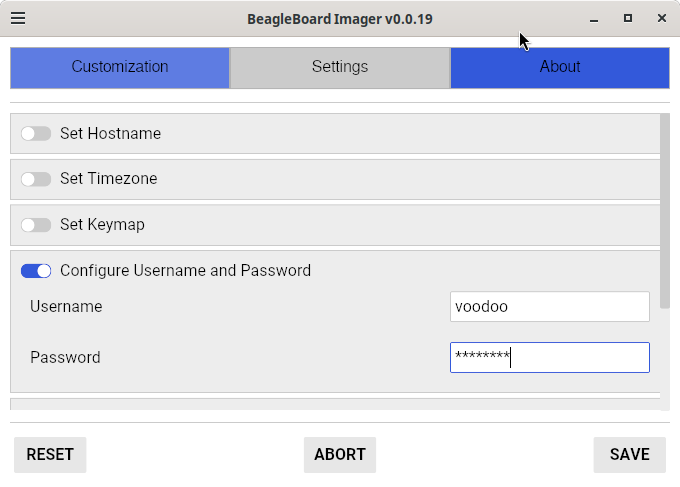
it reboots 3 times setting up your user.. You set that under the customization button?
Regards,
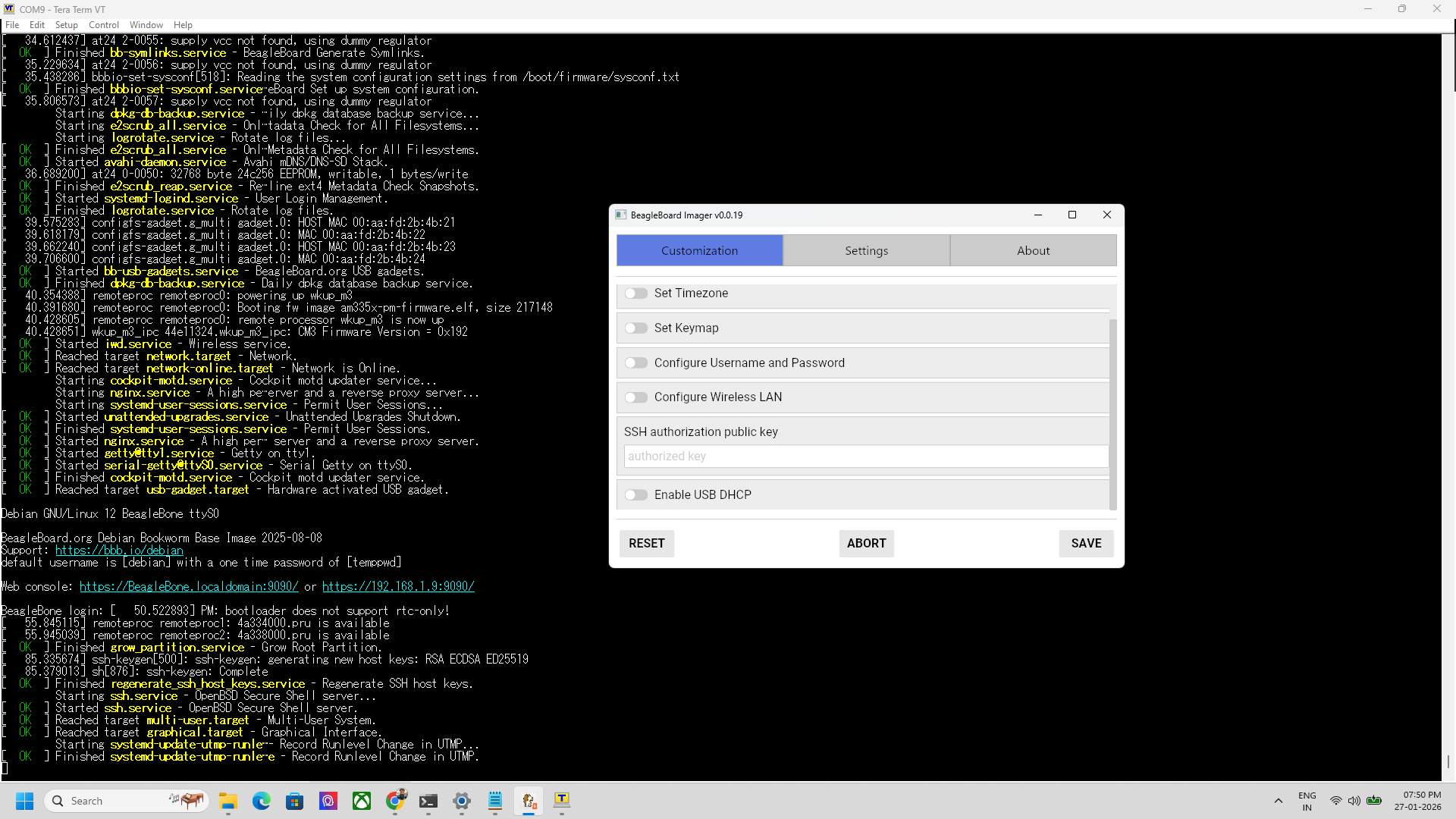
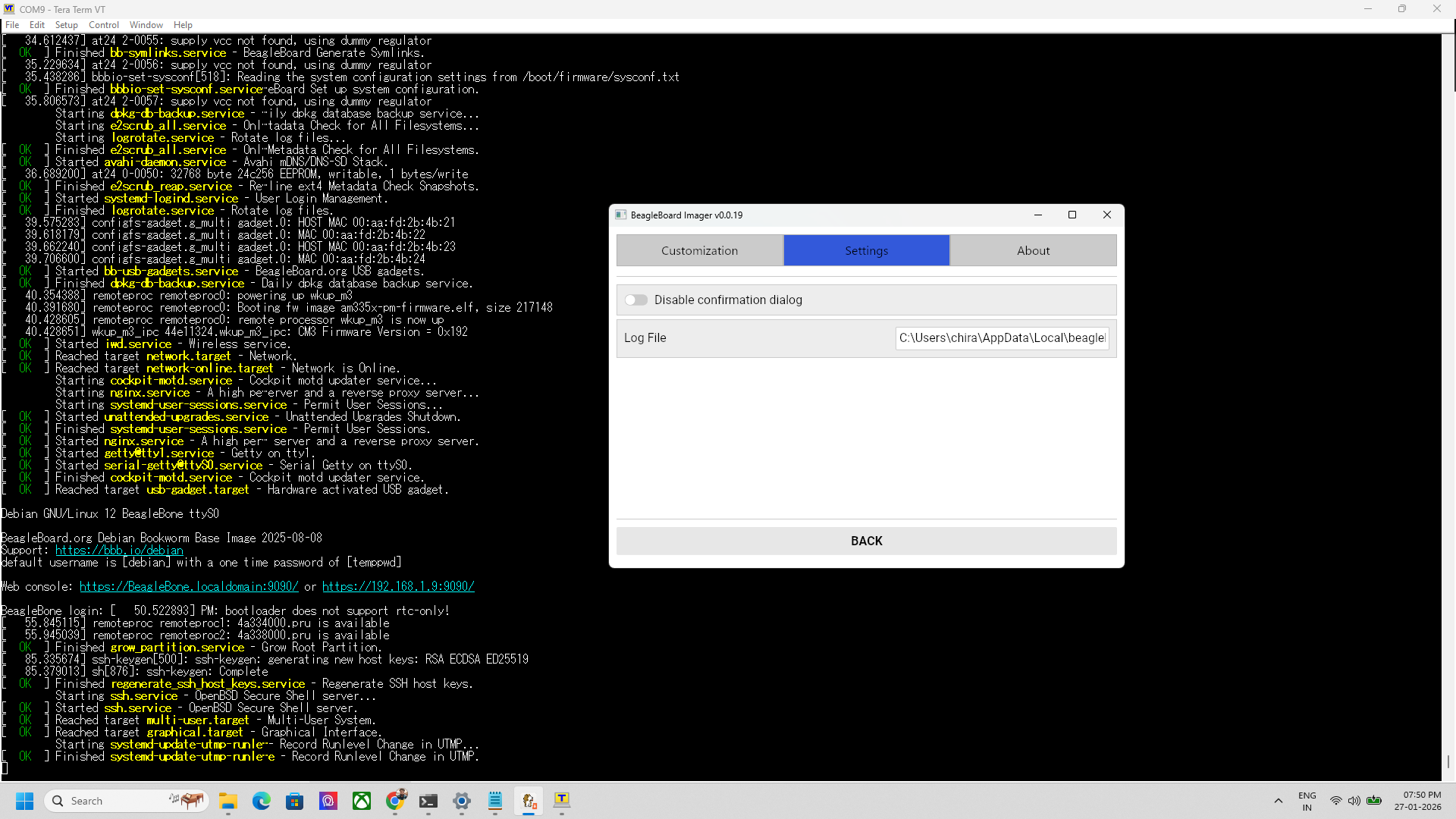
what need to set?