Hello everyone,
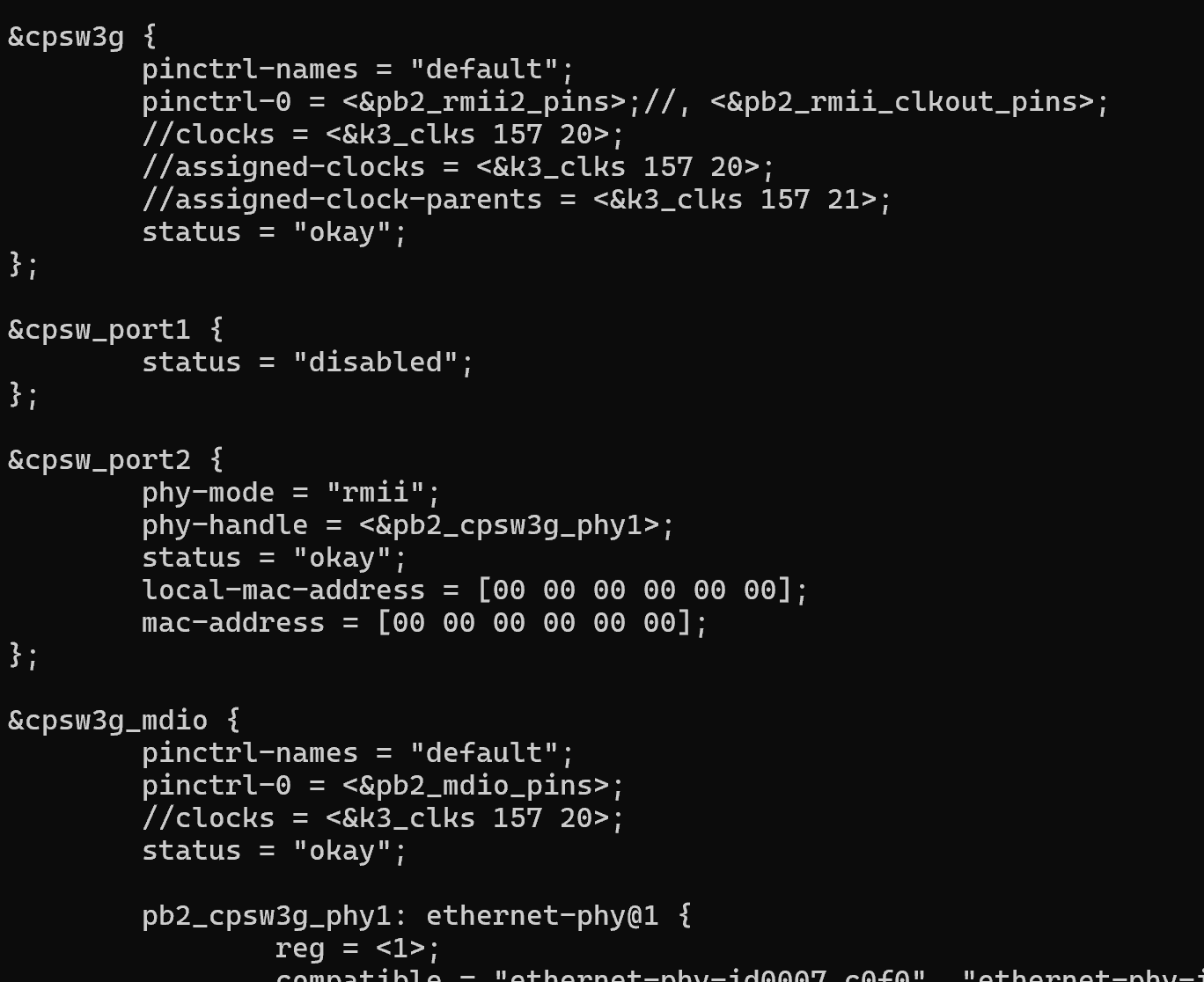
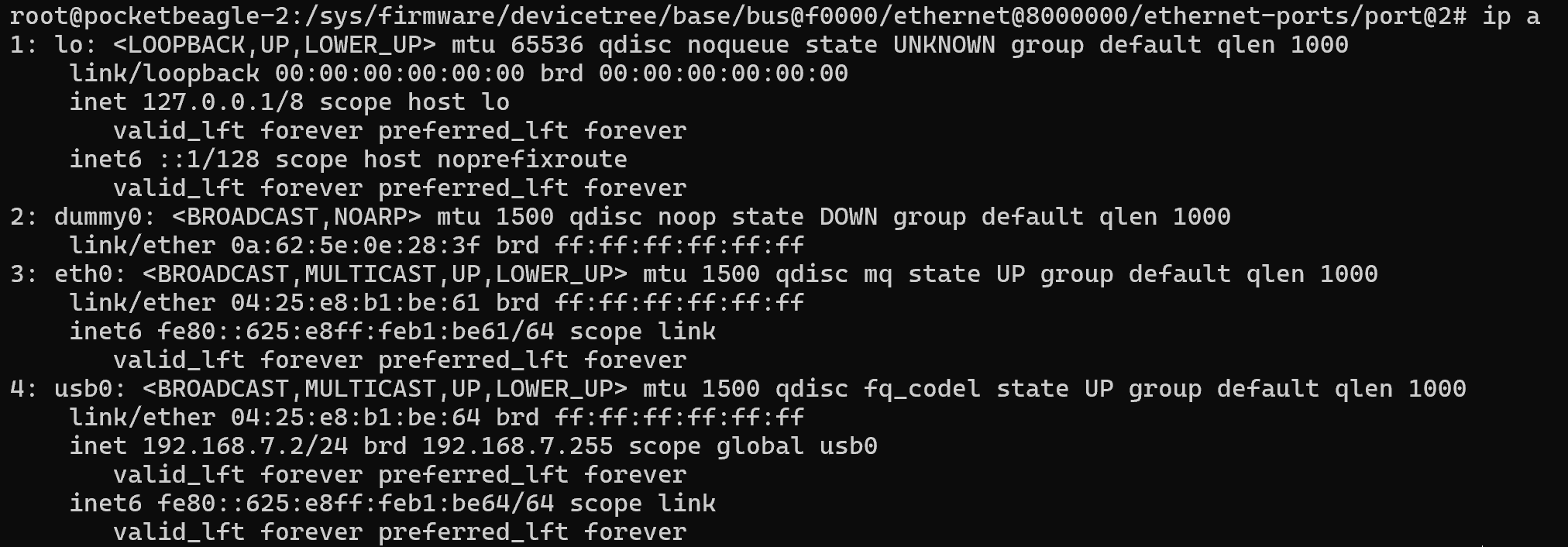
After successfully setting up an external physical Ethernet interface alongside the RNDIS USB, I discovered that the Pocketbeagle 2 uses a randomized MAC address for eth0 and hardcoded MAC address for usb0.
/usr/bin/bb-setup-mac-address
        #Some devices are showing a blank mac_addr0 [00:00:00:00:00:00], let's fix that up...
        if [ "x${is_valid}" = "x" ] ; then
                echo "${log} mac came up 00:00:00:00:00:00 fixing..."
                mac_addr0="1C:BA:8C:A2:ED:68"
                echo "${log} eth0: ${mac_addr0}"
        fi
I implemented a workaround, but I’d appreciate any feedback or cleaner solution from others. @RobertCNelson @giuliomoro
- First change: Improved MAC retrieval:
Instead of fetching the MAC from where the driver usually stores it, I read it directly from the hardware registers and validate it using the existing is_mac_valid function. If the MAC is invalid, it falls back to a hardcoded value as before.
/usr/bin/bb-setup-mac-address
get_mac_addr () {
        unset mac_addr0
        unset is_valid

        #PocketBeagle2
        #Read values from memory addresses
        mac1=$(echo "$(devmem2 0x43000200)" | grep 'Read at address' | awk '{print $NF}')
        mac2=$(echo "$(devmem2 0x43000204)" | grep 'Read at address' | awk '{print $NF}')

        #Format the last two bytes from mac2 and the first four bytes from mac1
        last_two=$(printf "%04X" $mac2 | sed 's/../&:/g; s/:$//')
        first_four=$(printf "%08X" $mac1 | sed 's/../&:/g; s/:$//')

        mac_addr0="$last_two:$first_four"
        echo "${log} ethernet@8000000: ${mac_addr0}"
        is_mac_valid

        #Some devices are showing a blank mac_addr0 [00:00:00:00:00:00], let's fix that up...
        if [ "x${is_valid}" = "x" ] ; then
                echo "${log} mac came up 00:00:00:00:00:00 fixing..."
                mac_addr0="1C:BA:8C:A2:ED:68"
                echo "${log} eth0: ${mac_addr0}"
        fi
}
- Second change: Generate systemd Network Config
I added a new function to dynamically write the systemd network configuration for eth0, linking it to the retrieved MAC address:
write_default_bb_mac_addr_eth0 () {
        echo "# /usr/bin/bb-setup-mac-addr driven file" > /etc/systemd/network/eth0.network
        echo "[Match]" >> /etc/systemd/network/eth0.network
        echo "Name=eth0" >> /etc/systemd/network/eth0.network
        echo "[Link]" >> /etc/systemd/network/eth0.network
        echo "MACAddress=${mac_addr0}" >> /etc/systemd/network/eth0.network
        echo "[Network]" >> /etc/systemd/network/eth0.network
        echo "DHCP=yes" >> /etc/systemd/network/eth0.network
}
- Third change: Integrate with Setup Flow
I added a call to the new function right after write_default_bb_mac_addr in the main setup sequence:
get_mac_addr
process_base
generate_usb0_host_addr
generate_usb0_dev_addr
generate_usb1_host_addr
generate_usb1_dev_addr
write_default_bb_mac_addr
write_default_bb_mac_addr_eth0
update_default_hostapd
- Final Step: Force MAC Setup and Network Restart
To ensure everything takes effect, I modified /usr/bin/bb-start-acm-ncm-rndis-old-gadget to explicitly call the setup script and restart the systemd-networkd service:
#Based off:
#https://github.com/beagleboard/meta-beagleboard/blob/master/meta-beagleboard-extras/recipes-support/usb-gadget/gadget-init/g-ether-load.sh

/usr/bin/bb-setup-mac-address
systemctl restart systemd-networkd

if [ -f /etc/default/bb-mac-addr ] ; then
        . /etc/default/bb-mac-addr
elif [ -f /usr/bin/bb-setup-mac-address ] ; then
        /usr/bin/bb-setup-mac-address
        sync
        . /etc/default/bb-mac-addr
fi
Thank you for your time and feedback!
Sergi