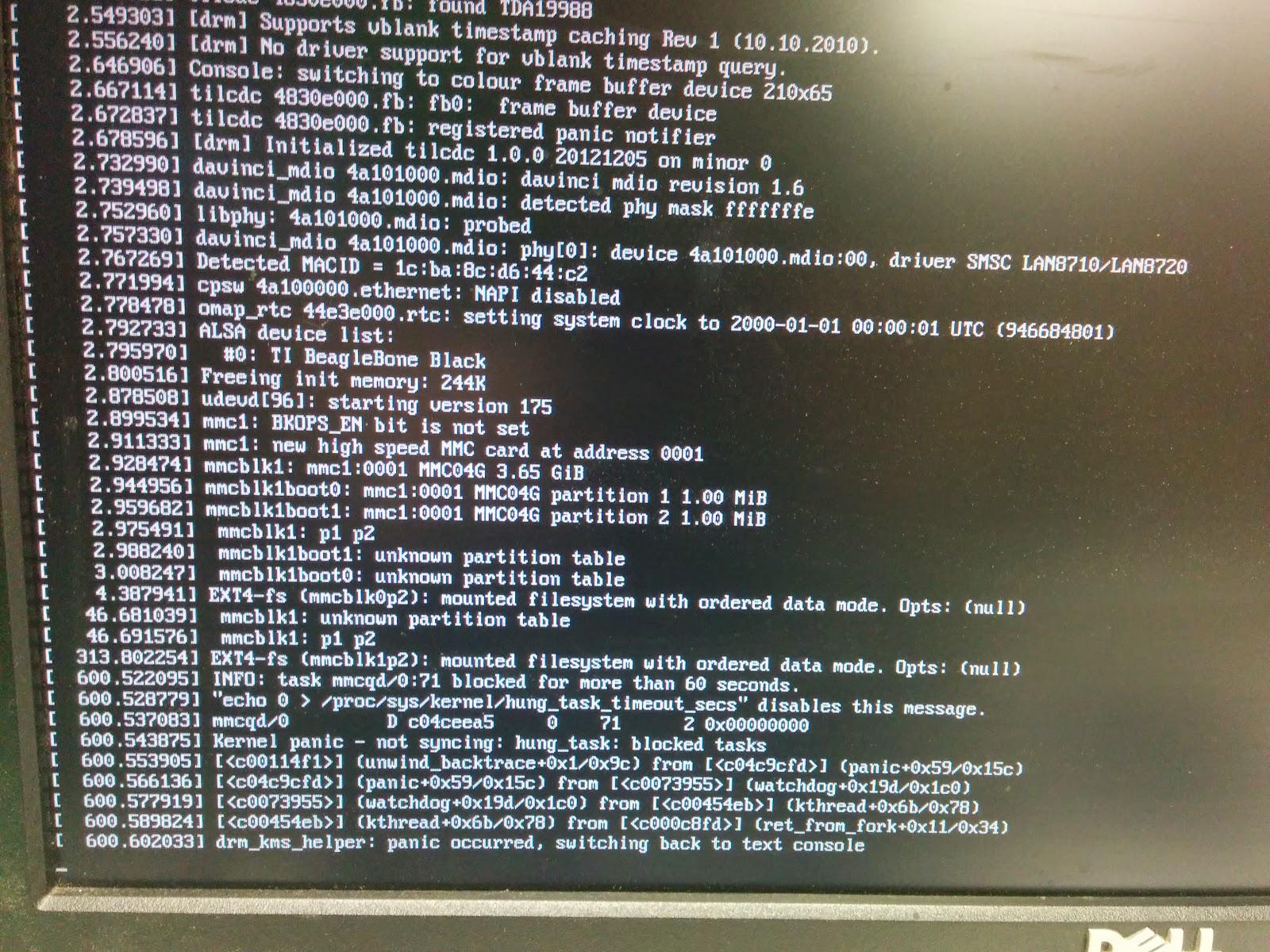
I am trying to flash my eMMC with the image here: http://elinux.org/Beagleboard:BeagleBoneBlack_Debian#Debian_Releases I am using the 4Gb flasher for the RevC. I can flash the microSD but all of the images ive tried cause Kernel Panics when I try to flash the BBB. Im sure this is something I am doing but Im not sure.
This might not be part of the problem, but I have created much mysterious misery by forgetting to “sync” after “dd”-ing my sd card. If you forgot to do this and yanked your card out after dd finished you cannot trust that you have an accurate and functional image. spread the word.
I dont have a serial cable. Probably need to pick one up.
Okay, I'm a little confused.. How then do you know your getting a
kernel panic? While flashing all debug info gets directed over the
serial. I still haven't mirrored any of the progress back to hdmi
output..
I am properly ejecting the card from my laptop after completing dd. Is that
what you mean by sync?
There is definitely a text output from the HDMI That is where Im seeing the kernel panic. I am trying to flash a new uSD now to try it. If it happens again Ill just take a picture of the screen.
Can you please retry with a 5volt DC jack. rsync really hits the
microSD/eMMC hard while flashing, thus it's fast, but any voltage ripples
can mess with the mmc devices.
Since the console image is so much smaller (200mb vs 1.7gb) we don't
normally see any mmc write errors during the flashing procedure.
sync ensures that whatever is in the buffers actually gets written to the
disk. The sdcard shouldn't even be mounted on the desktop while you dd
it. At least with unity it will still dd properly but the desktop is not
aware and shows it mounted in it's previous state. A desktop unmount at
this point is potentially harmful.
I wish there was a simple way to verify the image after you've flashed it
to the card -- does anyone know how to do this?
First of all, as far as the sdcard is concerned. sync has nothing to do with it, UNLESS, you are trying to remount the same exact sdcard.
sync is not infallible, and as such will not always do what you think it may do. sync can take a considerable amount of time to achieve what you think it should achieve.
What does a UI(Unity ) have to do with DD ? An application that has been around for YEARS longer than Unity ?
All you can do is:
write data
remove media.
sync.
If the OS you’re using screws this up, then it does not deserve to be used. Otherwise, it is user error.
Latest failure. This time I flashed from windows 7 just to try something new, different PC and card reader, and used a wallwart. No dice. Slightly different t error message with the panic though. Progress??
Advice ? Use Linux to flash Linux. I use windows on a daily basis, and honestly it is is my prerecorded OS. But when dealing with Linux, use Linux. . .
That's all I'm really trying to convey. "dd" does not sync by default.
Unmounting from your gui should sync. But might not if you've been
sudo-ing things behind it's back. Once "sync" has completed you can safely
remove it regardless of what some gui thinks is going on.