TI Arago and SDK image from BeagleBoard.org

Hey. I got the image to boot. Now, please review this photo. I had this complication while building in the past and never received confirmation of a valid answer.

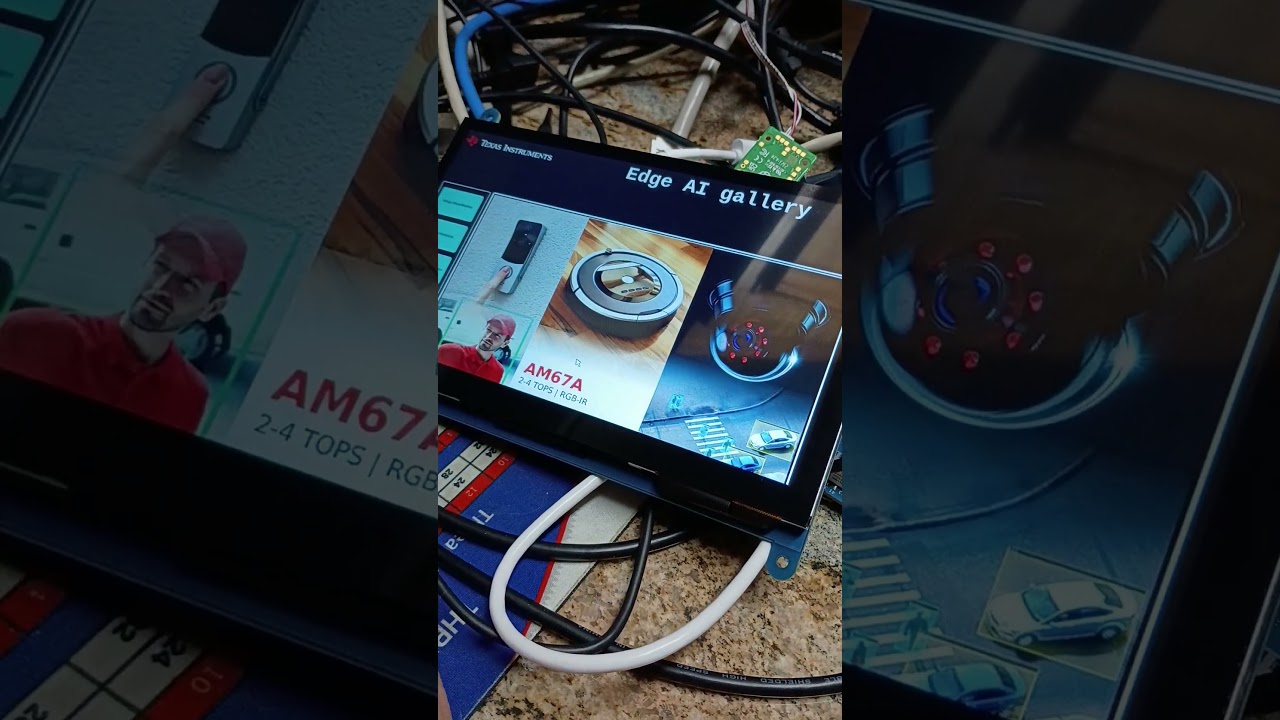
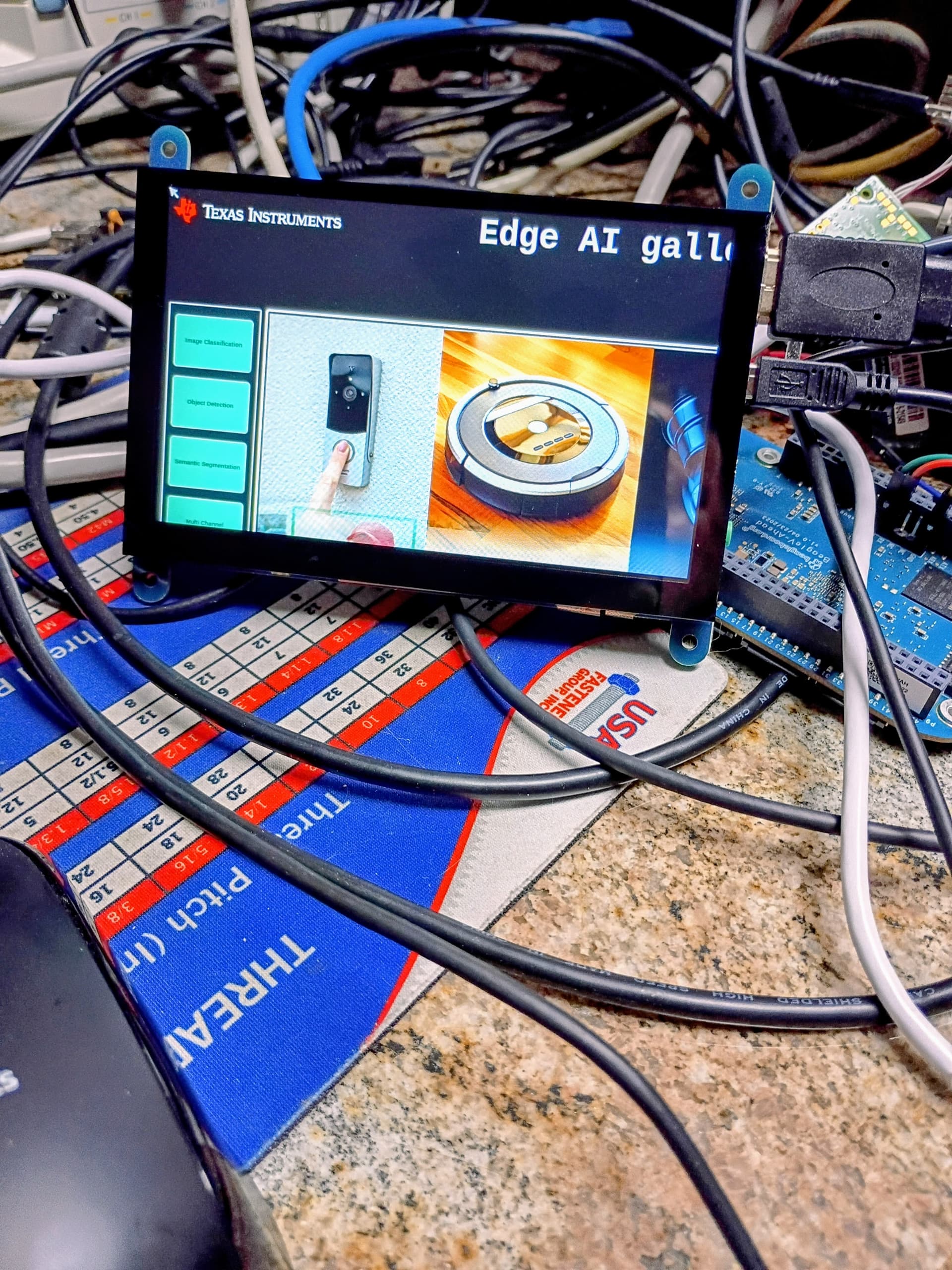
I know nothing about my HDMI 5” screen/display. Now, here is the photo:

Excuse the mess, please. My HDMI Display is giving me the willies.

Please send some type of guidance.

How can I set the display resolution on the BeagleY-AI for an HDMI LCD? I want to try to see if I can get one of the models working that the person put together for this image…

xrandr?

Maybe another example would come in handy…

root@j722s-evm:/opt/edgeai-gst-apps/apps_python# v4l2-ctl --device /dev/video-usb-cam0 --list-formats-ext
ioctl: VIDIOC_ENUM_FMT
        Type: Video Capture

        [0]: 'YUYV' (YUYV 4:2:2)
                Size: Discrete 640x480
                        Interval: Discrete 0.033s (30.000 fps)
                        Interval: Discrete 0.050s (20.000 fps)
                        Interval: Discrete 0.067s (15.000 fps)
                        Interval: Discrete 0.100s (10.000 fps)
                        Interval: Discrete 0.133s (7.500 fps)
                Size: Discrete 1280x720
                        Interval: Discrete 0.100s (10.000 fps)
                        Interval: Discrete 0.133s (7.500 fps)
                Size: Discrete 960x544
                        Interval: Discrete 0.067s (15.000 fps)
                        Interval: Discrete 0.100s (10.000 fps)
                        Interval: Discrete 0.133s (7.500 fps)
                Size: Discrete 800x448
                        Interval: Discrete 0.050s (20.000 fps)
                        Interval: Discrete 0.067s (15.000 fps)
                        Interval: Discrete 0.100s (10.000 fps)
                        Interval: Discrete 0.133s (7.500 fps)
                Size: Discrete 640x360
                        Interval: Discrete 0.033s (30.000 fps)
                        Interval: Discrete 0.050s (20.000 fps)
                        Interval: Discrete 0.067s (15.000 fps)
                        Interval: Discrete 0.100s (10.000 fps)
                        Interval: Discrete 0.133s (7.500 fps)
                Size: Discrete 424x240
                        Interval: Discrete 0.033s (30.000 fps)
                        Interval: Discrete 0.050s (20.000 fps)
                        Interval: Discrete 0.067s (15.000 fps)
                        Interval: Discrete 0.100s (10.000 fps)
                        Interval: Discrete 0.133s (7.500 fps)
                Size: Discrete 352x288
                        Interval: Discrete 0.033s (30.000 fps)
                        Interval: Discrete 0.050s (20.000 fps)
                        Interval: Discrete 0.067s (15.000 fps)
                        Interval: Discrete 0.100s (10.000 fps)
                        Interval: Discrete 0.133s (7.500 fps)
                Size: Discrete 320x240
                        Interval: Discrete 0.033s (30.000 fps)
                        Interval: Discrete 0.050s (20.000 fps)
                        Interval: Discrete 0.067s (15.000 fps)
                        Interval: Discrete 0.100s (10.000 fps)
                        Interval: Discrete 0.133s (7.500 fps)
                Size: Discrete 800x600
                        Interval: Discrete 0.067s (15.000 fps)
                        Interval: Discrete 0.100s (10.000 fps)
                        Interval: Discrete 0.133s (7.500 fps)
                Size: Discrete 176x144
                        Interval: Discrete 0.033s (30.000 fps)
                        Interval: Discrete 0.050s (20.000 fps)
                        Interval: Discrete 0.067s (15.000 fps)
                        Interval: Discrete 0.100s (10.000 fps)
                        Interval: Discrete 0.133s (7.500 fps)
                Size: Discrete 160x120
                        Interval: Discrete 0.033s (30.000 fps)
                        Interval: Discrete 0.050s (20.000 fps)
                        Interval: Discrete 0.067s (15.000 fps)
                        Interval: Discrete 0.100s (10.000 fps)
                        Interval: Discrete 0.133s (7.500 fps)
                Size: Discrete 1280x800
                        Interval: Discrete 0.100s (10.000 fps)
        [1]: 'MJPG' (Motion-JPEG, compressed)
                Size: Discrete 640x480
                        Interval: Discrete 0.033s (30.000 fps)
                        Interval: Discrete 0.050s (20.000 fps)
                        Interval: Discrete 0.067s (15.000 fps)
                        Interval: Discrete 0.100s (10.000 fps)
                        Interval: Discrete 0.133s (7.500 fps)
                Size: Discrete 1280x720
                        Interval: Discrete 0.033s (30.000 fps)
                        Interval: Discrete 0.050s (20.000 fps)
                        Interval: Discrete 0.067s (15.000 fps)
                        Interval: Discrete 0.100s (10.000 fps)
                        Interval: Discrete 0.133s (7.500 fps)
                Size: Discrete 960x544
                        Interval: Discrete 0.033s (30.000 fps)
                        Interval: Discrete 0.050s (20.000 fps)
                        Interval: Discrete 0.067s (15.000 fps)
                        Interval: Discrete 0.100s (10.000 fps)
                        Interval: Discrete 0.133s (7.500 fps)
                Size: Discrete 800x448
                        Interval: Discrete 0.033s (30.000 fps)
                        Interval: Discrete 0.050s (20.000 fps)
                        Interval: Discrete 0.067s (15.000 fps)
                        Interval: Discrete 0.100s (10.000 fps)
                        Interval: Discrete 0.133s (7.500 fps)
                Size: Discrete 640x360
                        Interval: Discrete 0.033s (30.000 fps)
                        Interval: Discrete 0.050s (20.000 fps)
                        Interval: Discrete 0.067s (15.000 fps)
                        Interval: Discrete 0.100s (10.000 fps)
                        Interval: Discrete 0.133s (7.500 fps)
                Size: Discrete 800x600
                        Interval: Discrete 0.033s (30.000 fps)
                        Interval: Discrete 0.050s (20.000 fps)
                        Interval: Discrete 0.067s (15.000 fps)
                        Interval: Discrete 0.100s (10.000 fps)
                        Interval: Discrete 0.133s (7.500 fps)
                Size: Discrete 416x240
                        Interval: Discrete 0.033s (30.000 fps)
                        Interval: Discrete 0.050s (20.000 fps)
                        Interval: Discrete 0.067s (15.000 fps)
                        Interval: Discrete 0.100s (10.000 fps)
                        Interval: Discrete 0.133s (7.500 fps)
                Size: Discrete 352x288
                        Interval: Discrete 0.033s (30.000 fps)
                        Interval: Discrete 0.050s (20.000 fps)
                        Interval: Discrete 0.067s (15.000 fps)
                        Interval: Discrete 0.100s (10.000 fps)
                        Interval: Discrete 0.133s (7.500 fps)
                Size: Discrete 176x144
                        Interval: Discrete 0.033s (30.000 fps)
                        Interval: Discrete 0.050s (20.000 fps)
                        Interval: Discrete 0.067s (15.000 fps)
                        Interval: Discrete 0.100s (10.000 fps)
                        Interval: Discrete 0.133s (7.500 fps)
                Size: Discrete 320x240
                        Interval: Discrete 0.033s (30.000 fps)
                        Interval: Discrete 0.050s (20.000 fps)
                        Interval: Discrete 0.067s (15.000 fps)
                        Interval: Discrete 0.100s (10.000 fps)
                        Interval: Discrete 0.133s (7.500 fps)
                Size: Discrete 160x120
                        Interval: Discrete 0.033s (30.000 fps)
                        Interval: Discrete 0.050s (20.000 fps)
                        Interval: Discrete 0.067s (15.000 fps)
                        Interval: Discrete 0.100s (10.000 fps)
                        Interval: Discrete 0.133s (7.500 fps)

Here is what the camera is capable of now. Would I need to set the size of the feedback to a particular resolution?

Also, does this application(s) do other things besides what is listed on the docs. pages?

Update

  1. I am trying to cancel out errors
  2. I am trying to see what works
  3. See below for what I have tried from the docs. pages

gst-launch-1.0 -vvv v4l2src device=/dev/video-usb-cam0 io-mode=5 ! video/x-raw, width=800, height=480, format=YUY2 ! autovideosink is the command I used to try to get the USB CAM to show its face on the HDMI LCD.

With the above command, I get this error:

streaming stopped, reason not-negotiated (-4)
ERROR: pipeline doesn't want to preroll.

and when I change the width, height, and format commands to what I believe my USB CAM understands, I receive this error:

WARNING: erroneous pipeline: could not link 
v4l2src0 to autovideosink0, v4l2src0 
can't handle caps video/x-raw, width=(int)800, height=(int)480, format=(string)YUYV

As you can tell, the USB CAM does not like the commands or is it the image and what is available?

I will run dmesg and try to find out.

One issue. The LCD is off-center. I have tried to go into grub.cfg and add particular commands to handle the HDMI display.

I will try this command next and then the update-grub command as well: GRUB_GFXMODE=640x480.

Thank you for reading. If you have any ideas, please let me know.

to test out the display, why not try the test patterns?

work on issue at a time.

# Display default test pattern (SMPTE color bars)
gst-launch-1.0 videotestsrc ! autovideosink

# Display a specific pattern (e.g., ball, snow, smpte)
gst-launch-1.0 videotestsrc pattern=ball ! autovideosink

# Display a 5-second video of a test pattern then exit
gst-launch-1.0 videotestsrc num-buffers=150 ! autovideosink

1 Like

Okay. I will test it. The rule of thumb is to stop the process running and then go for the test patterns.

So, I would need to halt the running GUI and then test.

gst-launch-1.0 videotestsrc pattern=ball ! autovideosink

Setting pipeline to PAUSED ...
Pipeline is PREROLLING ...
ERROR: from element /GstPipeline:pipeline0/GstAutoVideoSink:autovideosink0/GstKMSSink:autovideosink0-actual-sink-kms: GStreamer encountered a general resource error.
Additional debug info:
/usr/src/debug/gstreamer1.0-plugins-bad/1.22.12/sys/kms/gstkmssink.c(2032): gst_kms_sink_show_frame (): /GstPipeline:pipeline0/GstAutoVideoSink:autovideosink0/GstKMSSink:autovideosink0-actual-sink-kms:
drmModeSetPlane failed: No space left on device (28)
ERROR: pipeline doesn't want to preroll.
Setting pipeline to NULL ...
ERROR: from element /GstPipeline:pipeline0/GstVideoTestSrc:videotestsrc0: Internal data stream error.
Additional debug info:
/usr/src/debug/gstreamer1.0/1.22.12/libs/gst/base/gstbasesrc.c(3134): gst_base_src_loop (): /GstPipeline:pipeline0/GstVideoTestSrc:videotestsrc0:
streaming stopped, reason error (-5)
ERROR: pipeline doesn't want to preroll.
Freeing pipeline ...

Hmm. It seems I am out of room? actual-sink-kms: drmModeSetPlane failed: No space left on device (28)

I checked df -h and it returned that I have 20GB of memory leftover after the initial install of the image…

Should I check elsewhere? Also, another thing I noticed: Image-6.12.17-ti-00773-gcdcaeac783e3-dirty. Dirty…

Some stuff I tried so far:

  • changing the framebuffer set up in:
    • grub.cfg
    • on the command line
  • Some commands I have tried:
    • fbset
    • dmesg | grep hdmi

Send guidance on this effort. I cannot get past the initial part due to the set up of my HDMI LCD at 1024 * 768.

Update

So, I changed to a larger HDMI LCD. fbset is of no use so far. Most of the screen is present but I cannot start the scripts even on the main screen…

  • with USB1 and/or USB0 from the USB camera
  • even after killall edgeai-gui-app
    • and then with a command as in gst-launch-1.0 videotestsrc ! autovideosink

E for effort so far…

If anyone has any documentation this effort (E), please let me know. Once I start the usb cam on the main screen of the HDMI LCD, I get the error on graphics only, e.g. commands via mouse shutdown the edgeai-gui-app.

Another Update

  1. I got one of the camera modules to run from the main LCD with a couple of points and clicks.
    1. Video on the way…
  2. Outside of that module running, I need to figure out whatever else can be done with this image…
    1. I see there was some GPIO and PWM controller peripherals set up with a TI set of applications/libraries.

If you are lucky, you can see my bald head in the timelapse cam usage!

So, my max FPS is about 16 so far. I am running the USB Camera 0 - > ONR-SS-7618-deeplabv3lite-mobv2-qat-robokit--768x432 at a temperature of about 55C.

The regular settings have been applied with that ONR-SS file.
what are some next steps I can take to perform other functions within this image?