Hi!
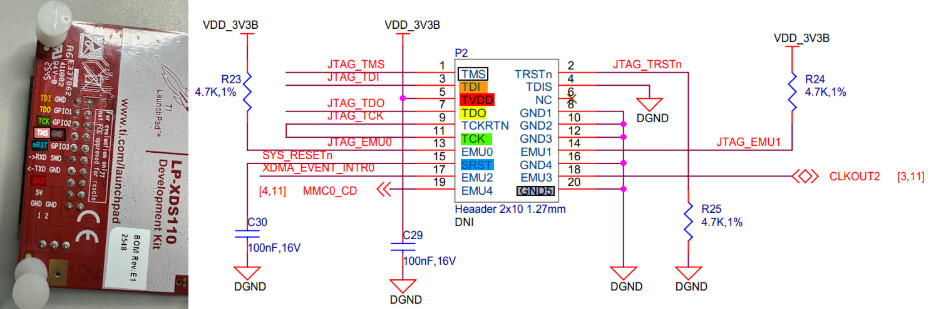
To update, we’ve wired the connection using the 20-pin connector on the back of the LP-XDS110. I set the CCS frequency to 500kHZ. Then when we try to connect to the Beagle, CCS is saying: “The value is ‘-233’ (0xffffff17). The title is ‘SC_ERR_PATH_BROKEN’ …. The JTAG IR and DR scan-paths cannot circulate bits, they may be broken.“ Entire error log below.
We hooked up the scope to TDI, TDO and TCK. During a connection attempt, bits appear to come out TDI from the JTAG - but no response from target on TDO. The clock (TCK) cycles.
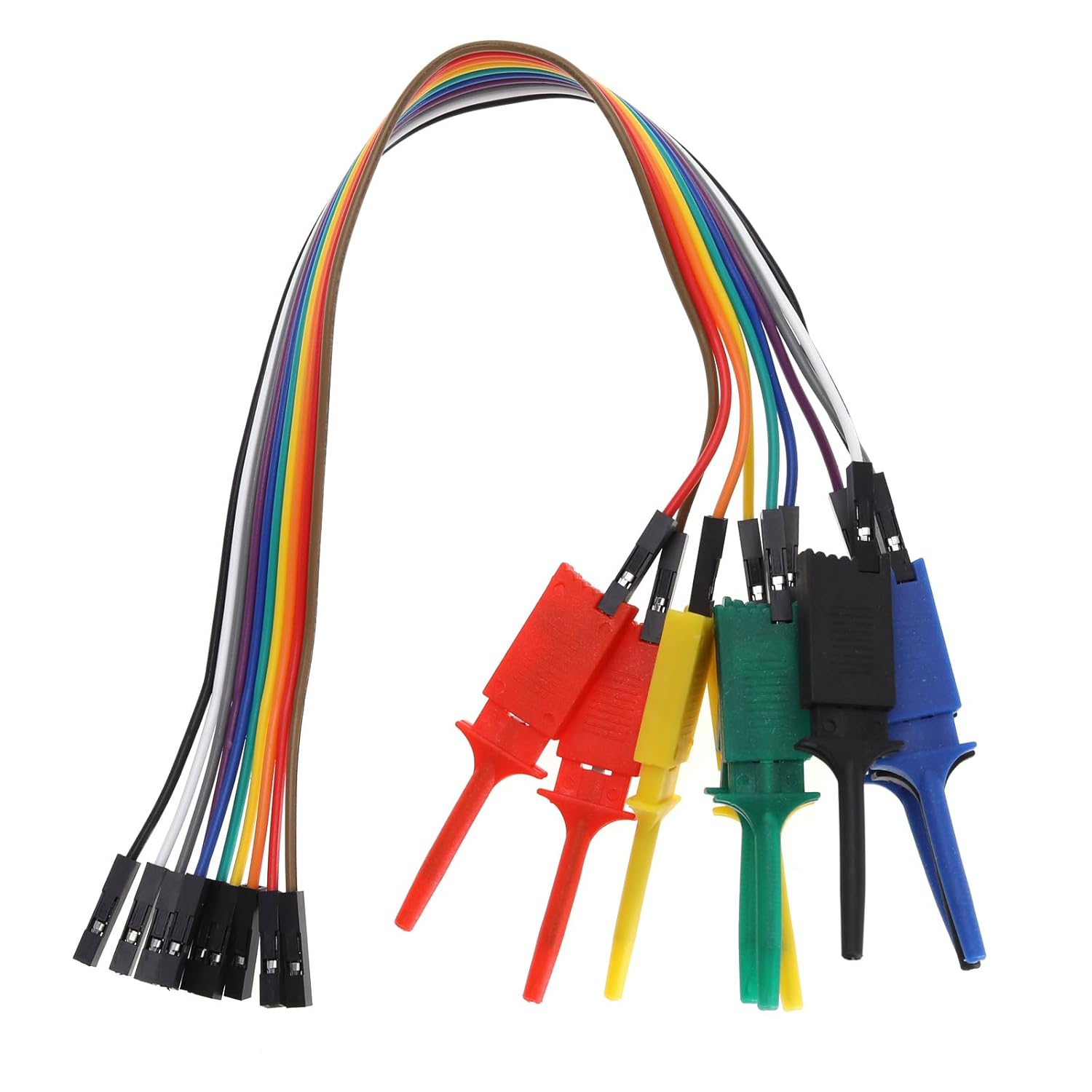
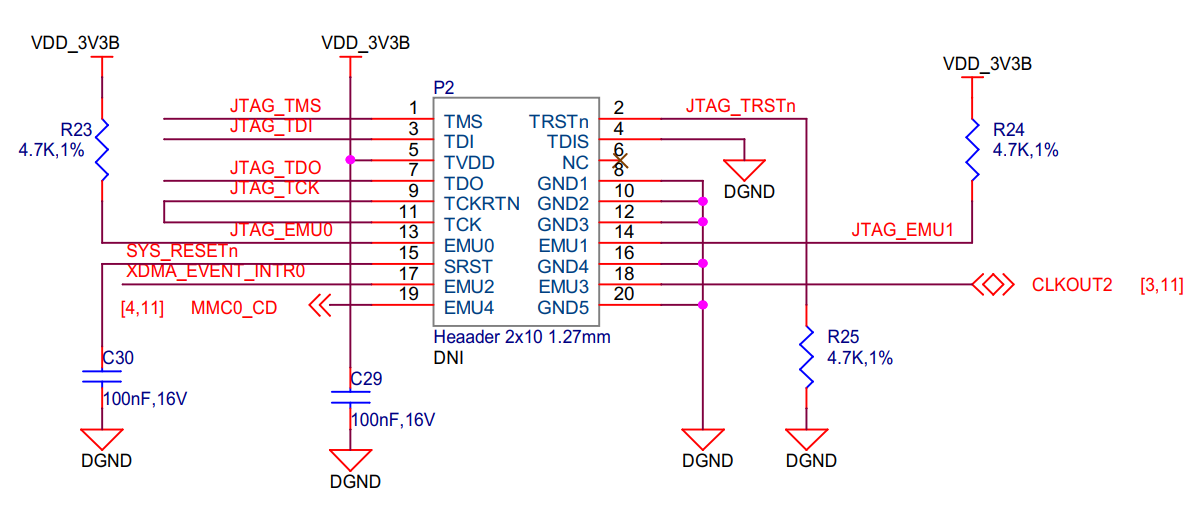
Our wiring is detailed in below diagram, per color code (TMS is white wire, GND is grey). We also connect TDI-TDI, TDO-TDO … but CCS still won’t connect after we swap them midstream. Finally I have the JTAG jumpered to sense voltage from the target but there’s an almost identical CCS failure if I have it provide the 3.3v to the target. We’ve also double checked continuity of all wires several times.
Any suggestion? Do we need to hook up more pins from the target? Should we do anything with the EMU[0] and [1] pins CCS highlights?
-----[Print the board config pathname(s)]------------------------------------
C:\Users\<_snip_>\]AppData\Local\TEXASI~1\
CCS\ccs2050\0\0\BrdDat\testBoard.dat
-----[Print the reset-command software log-file]-----------------------------
This utility has selected a 100/110/510 class product.
This utility will load the adapter ‘jioxds110.dll’.
The library build date was ‘Mar 4 2026’.
The library build time was ‘18:13:05’.
The library package version is ‘20.5.0.3902’.
The library component version is ‘35.35.0.0’.
The controller does not use a programmable FPGA.
The controller has a version number of ‘5’ (0x00000005).
The controller has an insertion length of ‘0’ (0x00000000).
This utility will attempt to reset the controller.
This utility has successfully reset the controller.
-----[Print the reset-command hardware log-file]-----------------------------
The scan-path will be reset by toggling the JTAG TRST signal.
The controller is the XDS110 with USB interface.
The link from controller to target is direct (without cable).
The software is configured for XDS110 features.
The controller cannot monitor the value on the EMU[0] pin.
The controller cannot monitor the value on the EMU[1] pin.
The controller cannot control the timing on output pins.
The controller cannot control the timing on input pins.
The scan-path link-delay has been set to exactly ‘0’ (0x0000).
-----[An error has occurred and this utility has aborted]--------------------
This error is generated by TI’s USCIF driver or utilities.
The value is ‘-233’ (0xffffff17).
The title is ‘SC_ERR_PATH_BROKEN’.
The explanation is:
The JTAG IR and DR scan-paths cannot circulate bits, they may be broken.
An attempt to scan the JTAG scan-path has failed.
The target’s JTAG scan-path appears to be broken
with a stuck-at-ones or stuck-at-zero fault.