The new beaglebone black images have the gpio devices rotated -1 with the 6.15 kernel.
For example gpiochip3 → is now gpiochip2.
gpiochip0 → gpiochip3.
The usb ethernet gadget is also not functioning on the new images.
The new beaglebone black images have the gpio devices rotated -1 with the 6.15 kernel.
For example gpiochip3 → is now gpiochip2.
gpiochip0 → gpiochip3.
The usb ethernet gadget is also not functioning on the new images.
Wait till you see the ‘gpio number’ in v6.15.x is different too… libgpio layer in mainline kernel.org has had a ton of cleanup/changes..
What Host OS? You should see a composite usb device.
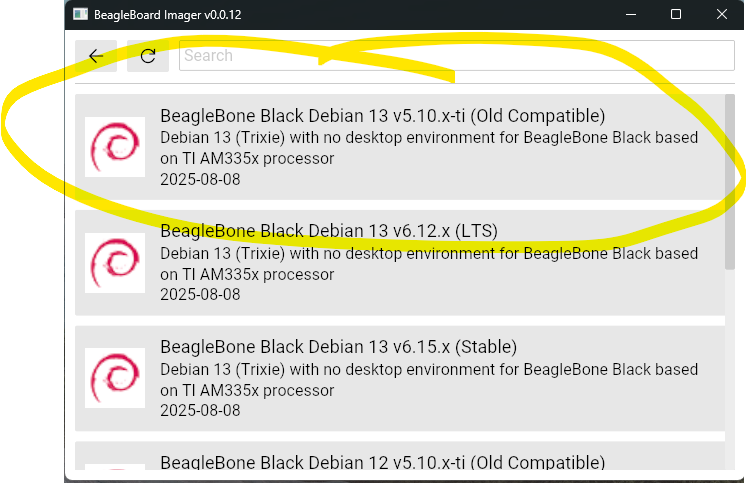
PS, this is why i split out a v5.10.x kernel for users who are not ready:
Regards,
Remember, it’s always possible to pin certain devices using device-tree alias’s…
You just need to do it in the base dtso. Using overlays won’t work.
As an alternate, rewrite your software to use gpio-names instead of chip/line,
that way you’ll never have any problems, regardless how the kernel numbers devices.
Ah, could that be one of the reasons my overlay’s not working? see related post over here
I’m using Windows 10, and the BBB does come up as a USB composite device but the ethernet interface and filesystem don’t mount and an ip address is not assigned or the interface brought up.
Windows 10 doesn’t like the NCM driver.. Where it “just works” in Windows 11, i’ve been hacking up the script to try to make the NCM work, but the recommend overrides still do not work on Windows 10..
Here’s the current script: repos-armhf/bb-usb-gadgets/suite/trixie/debian/bb-start-acm-ncm-rndis-old-gadget at master · beagleboard/repos-armhf · GitHub
Regards,
I had looked at that script while I was looking into the issue and I didn’t see anything wrong. I got a linux laptop that I’ll try too. I did have to downgrade to the linux kernel 6.12-ti due to the 6.15 having a non functional CAN bus. I used the dts to define the pins, but getting the driver to take control of P2.26 just did not work.